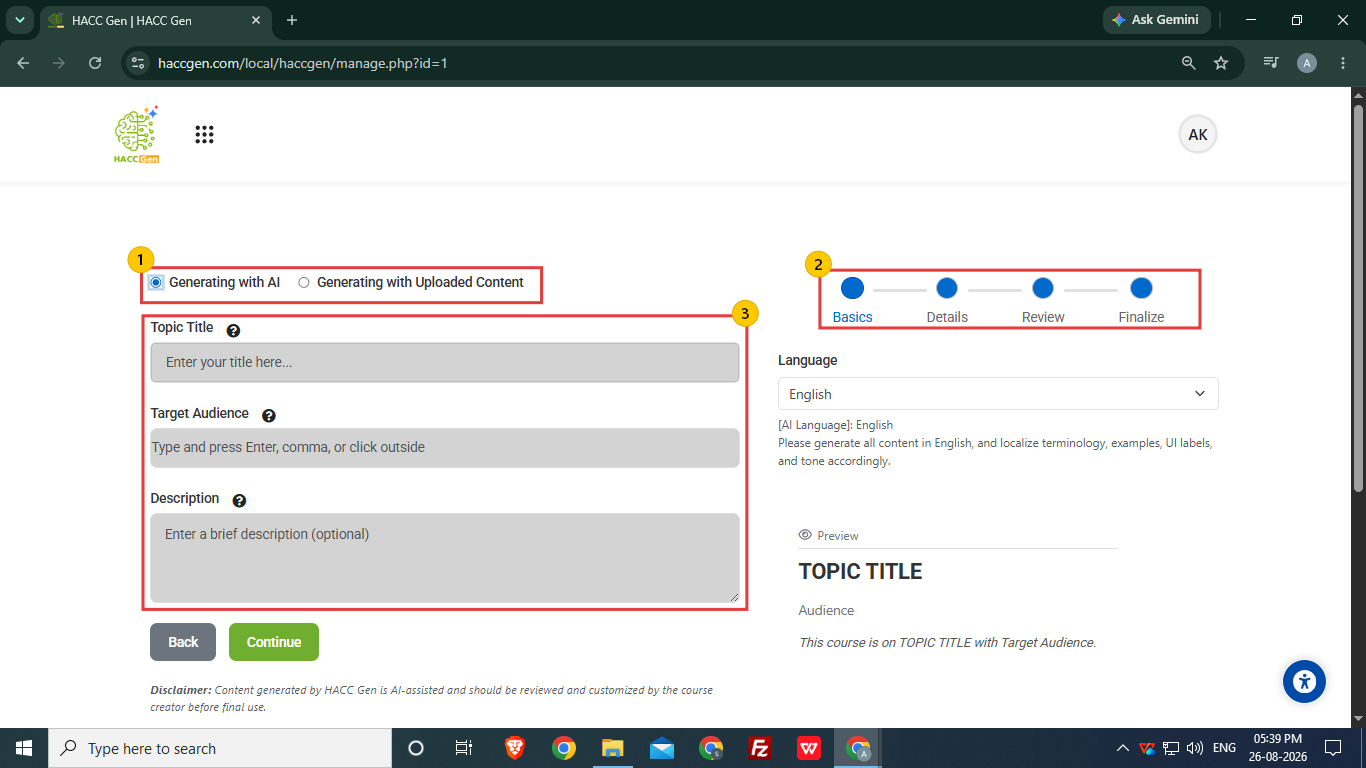
Two options are available to create course content:
Generating with AI
Generating with uploaded content -Select “Generating with AI” (default option). -Select "Generating with uploaded content" if the user wants to generate course using uploaded content in PDF form. User can add up to 100 slides based upon their content.
The course content creation is divided into 4 parts ,i.e. Basics, Details, Review and Finalize.
Enter the basic details to define the type of content required.
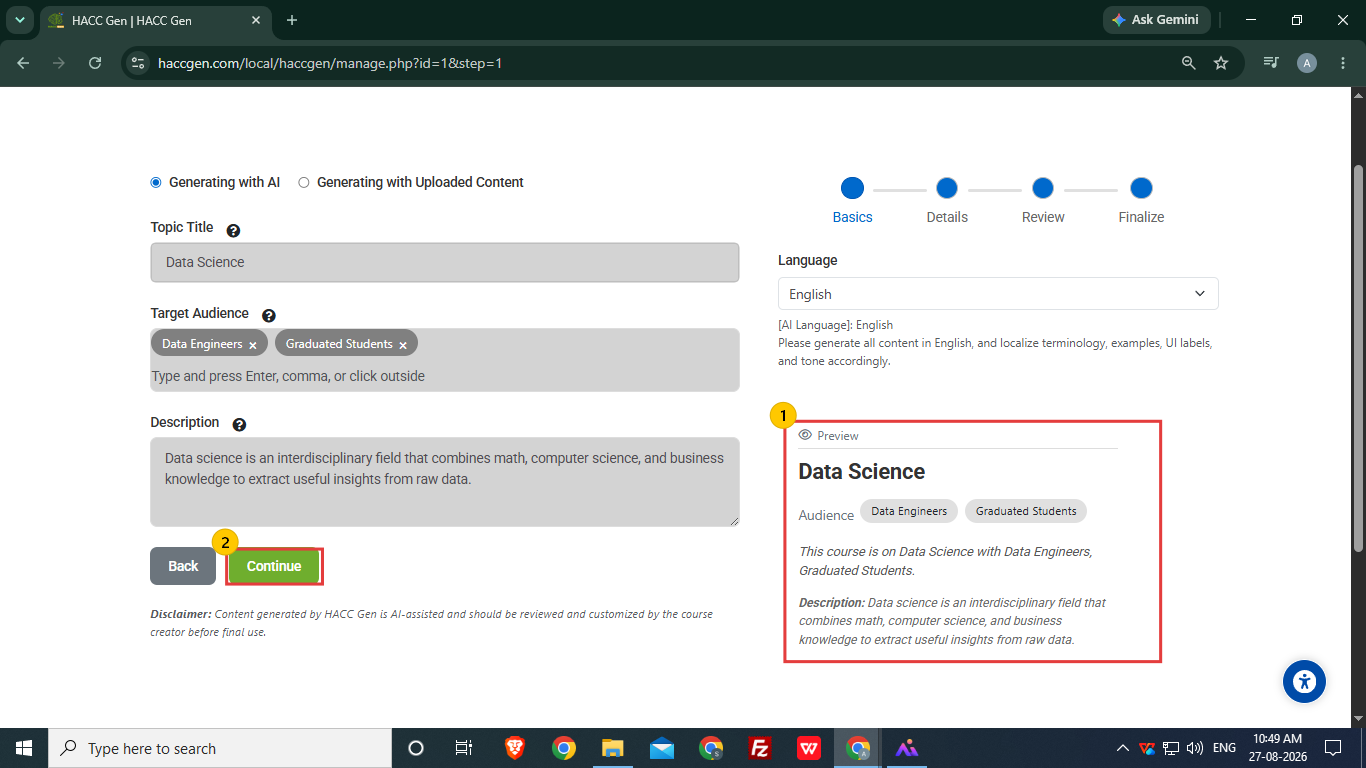
Topic Title- Enter the topic of the course.
Target Audience- Set the audience accordingly as the content will be generated with reference to the target audience.
Description (Optional)- Adding the description is not mandatory, but user can add according to requirements.
Course creator/ Teacher can view the content outline at the preview section after adding the required information.