We welcome your feedback and suggestions for our future releases.
Feedback and Suggestion Forum
Is it possible to make "HACC Gen Extender" available to only selected users, not all users in Moodle?
Yes, this can be done in 3 simple steps:
1. Create a new role.
Navigate to the following path:
1. Create a new role.
Navigate to the following path:
Dashboard > Site administration > Users > Permissions > Define roles > Adding a new role
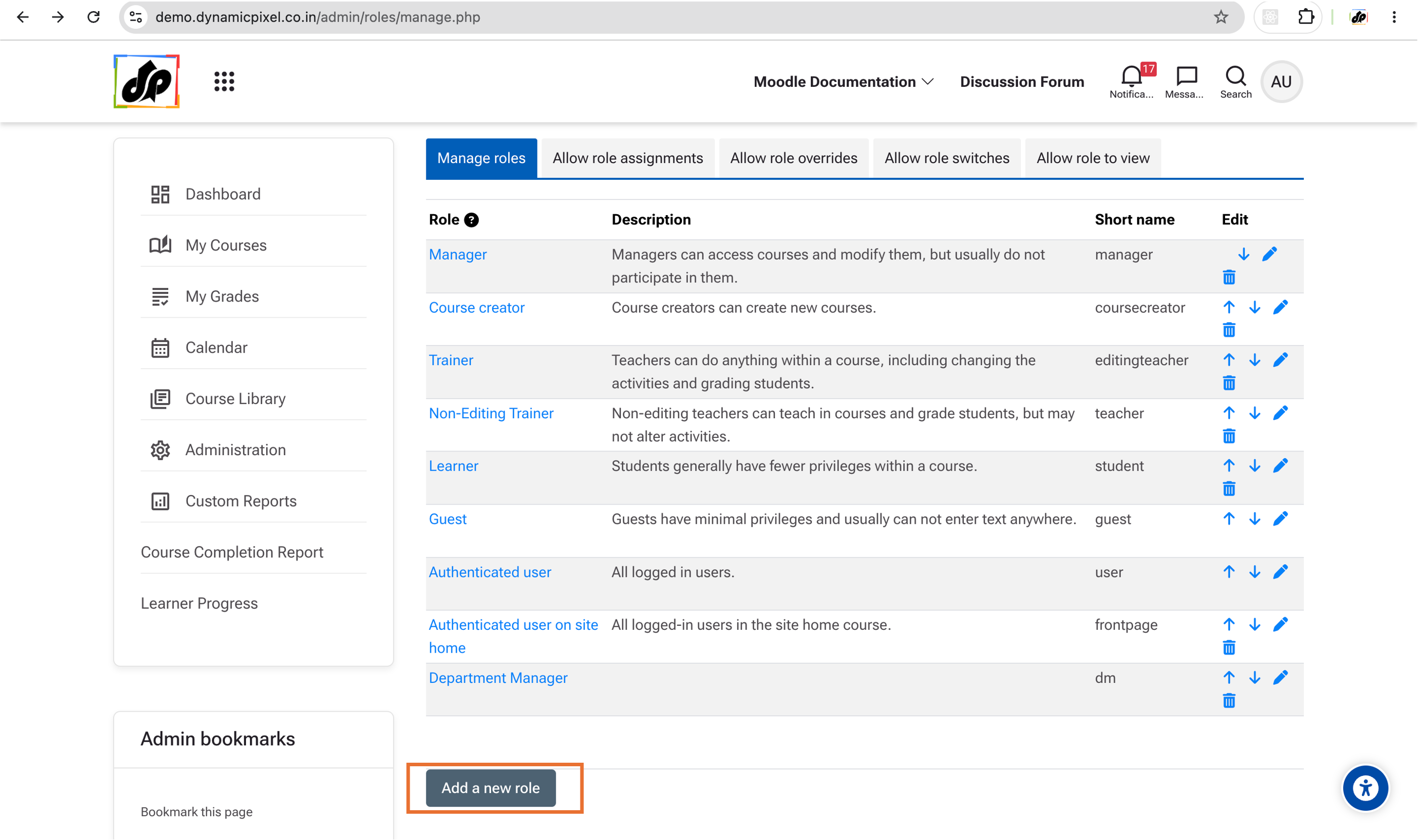
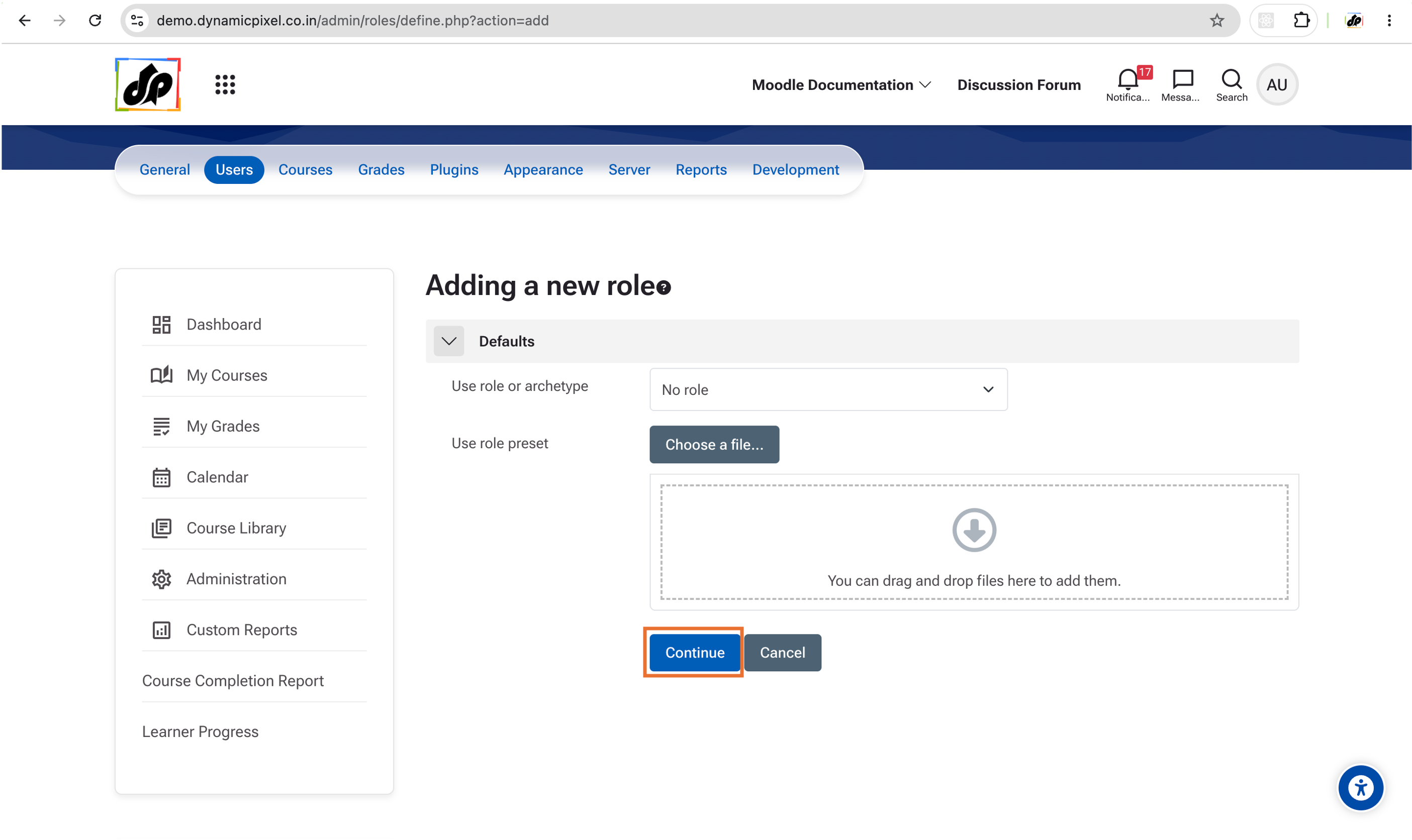
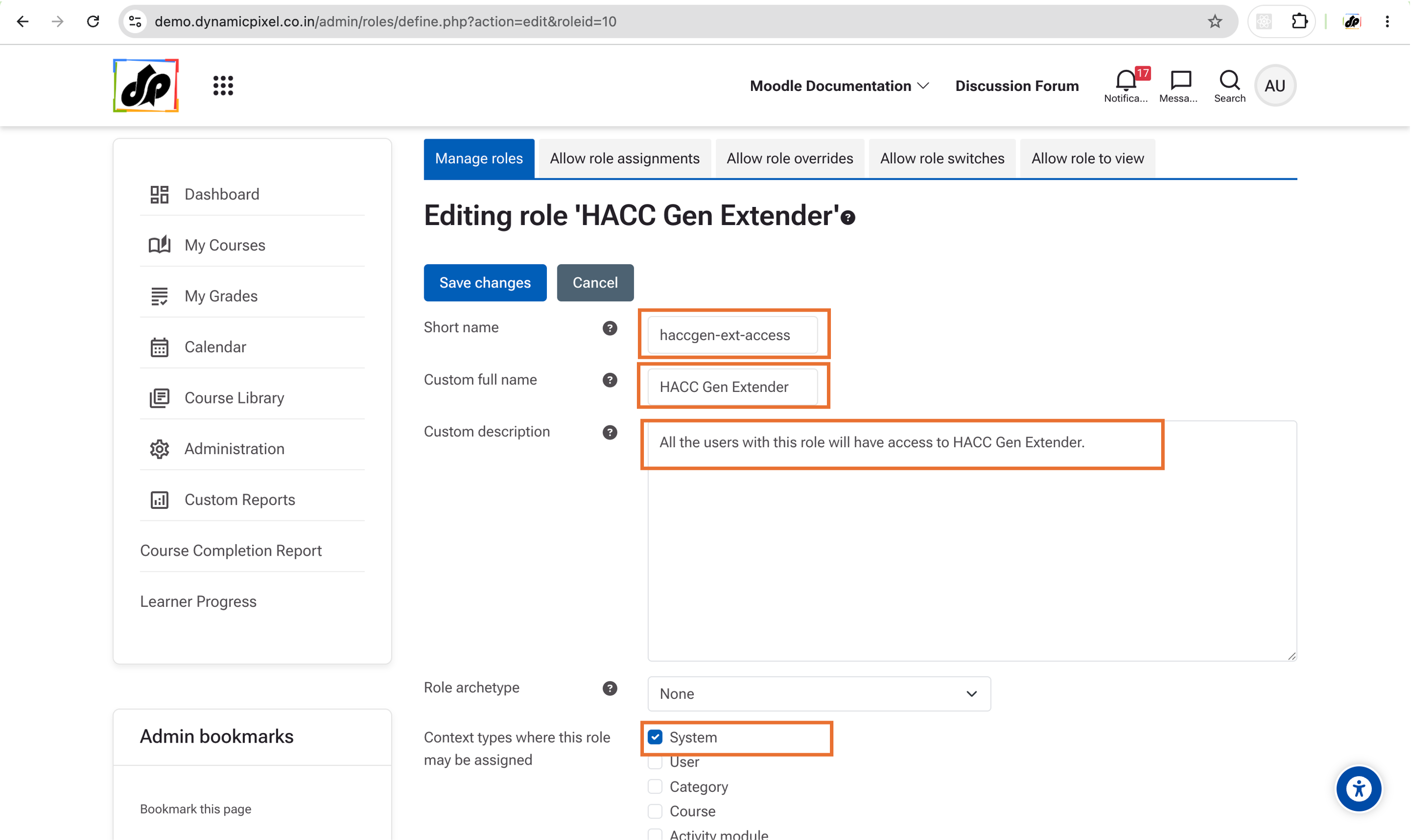
Provide a Full Name, Shortname and Description to this role.Select "System" in the "Context types where this role may be assigned".
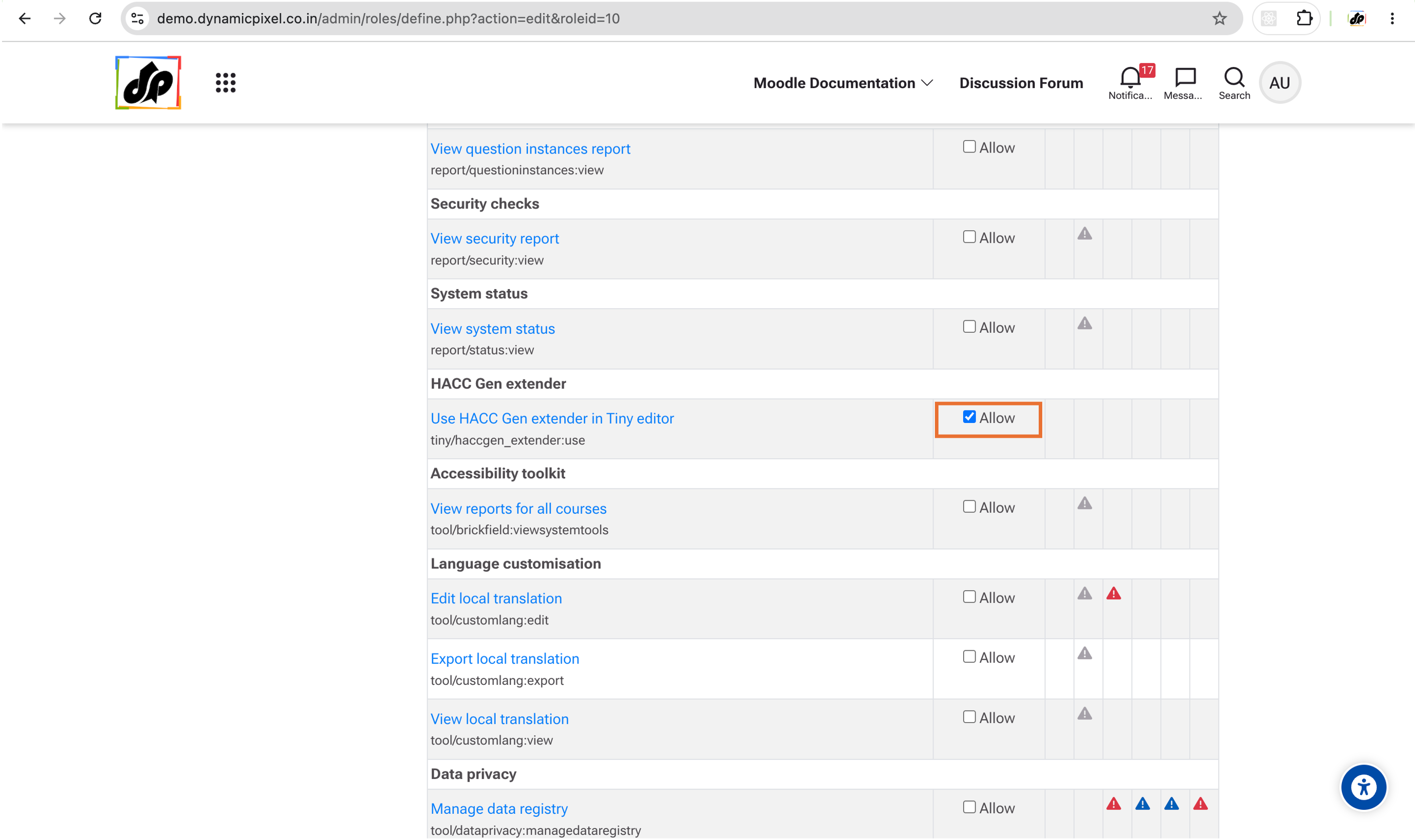
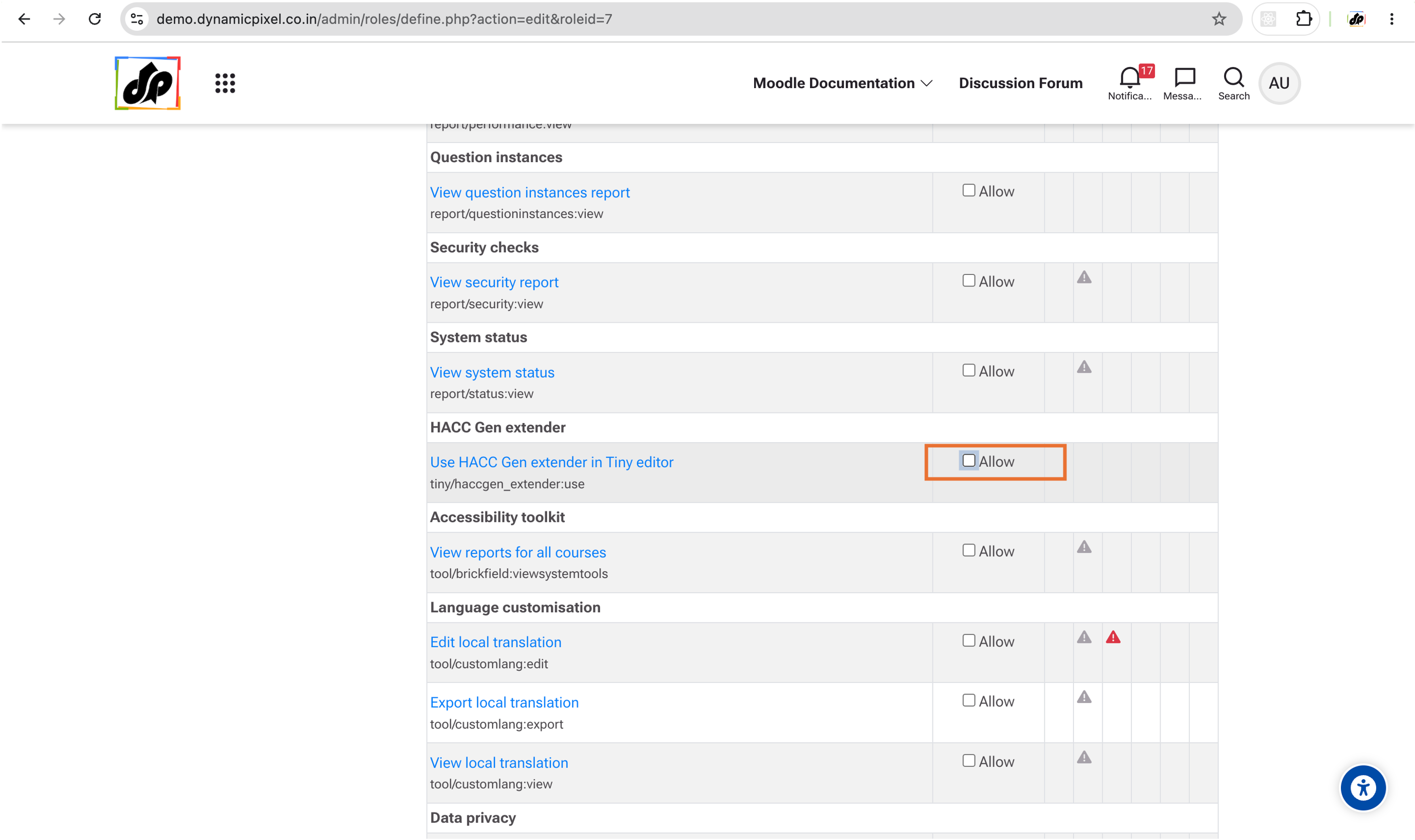
Select "Allow" for this permission "tiny/haccgen_extender:use"
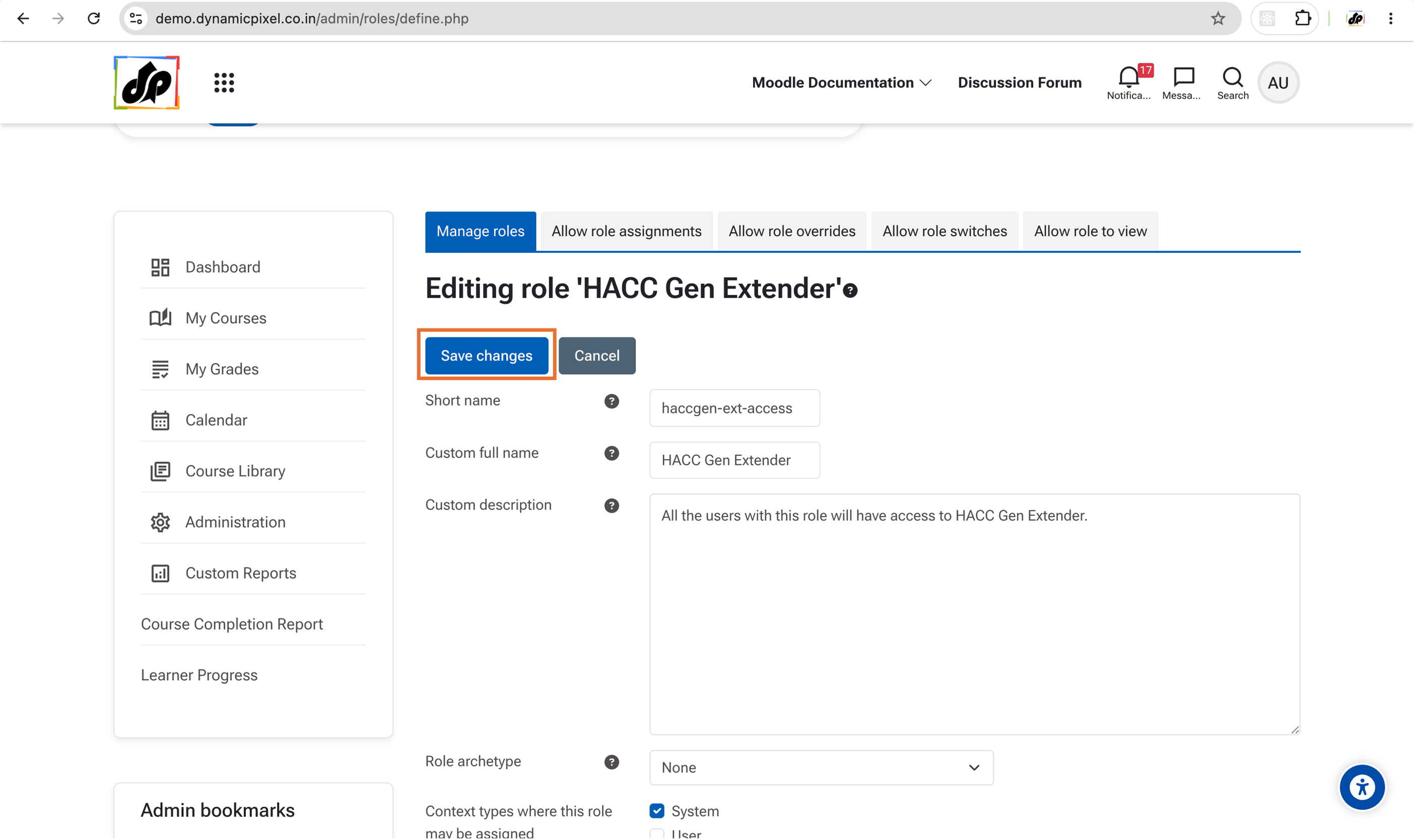
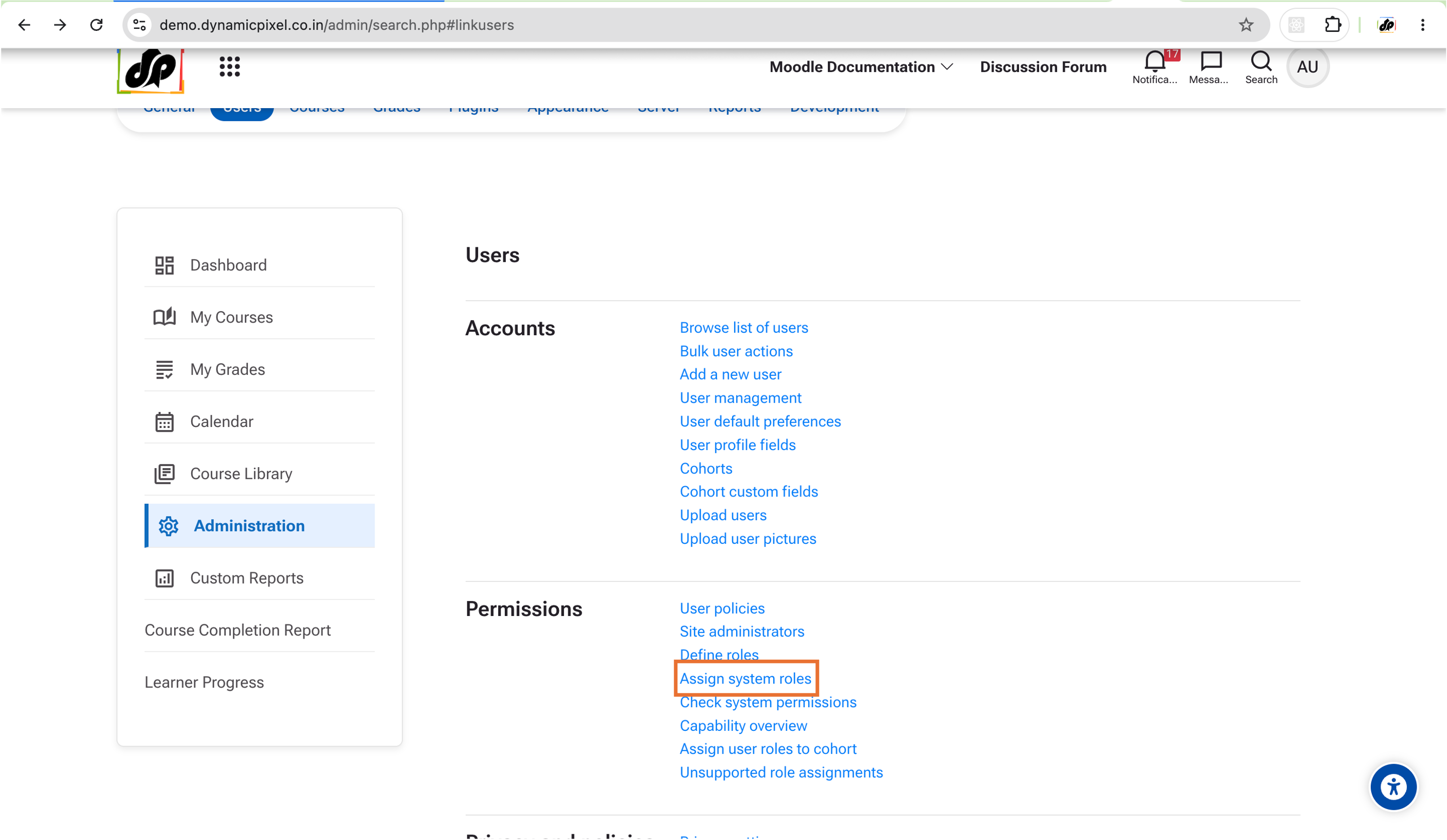
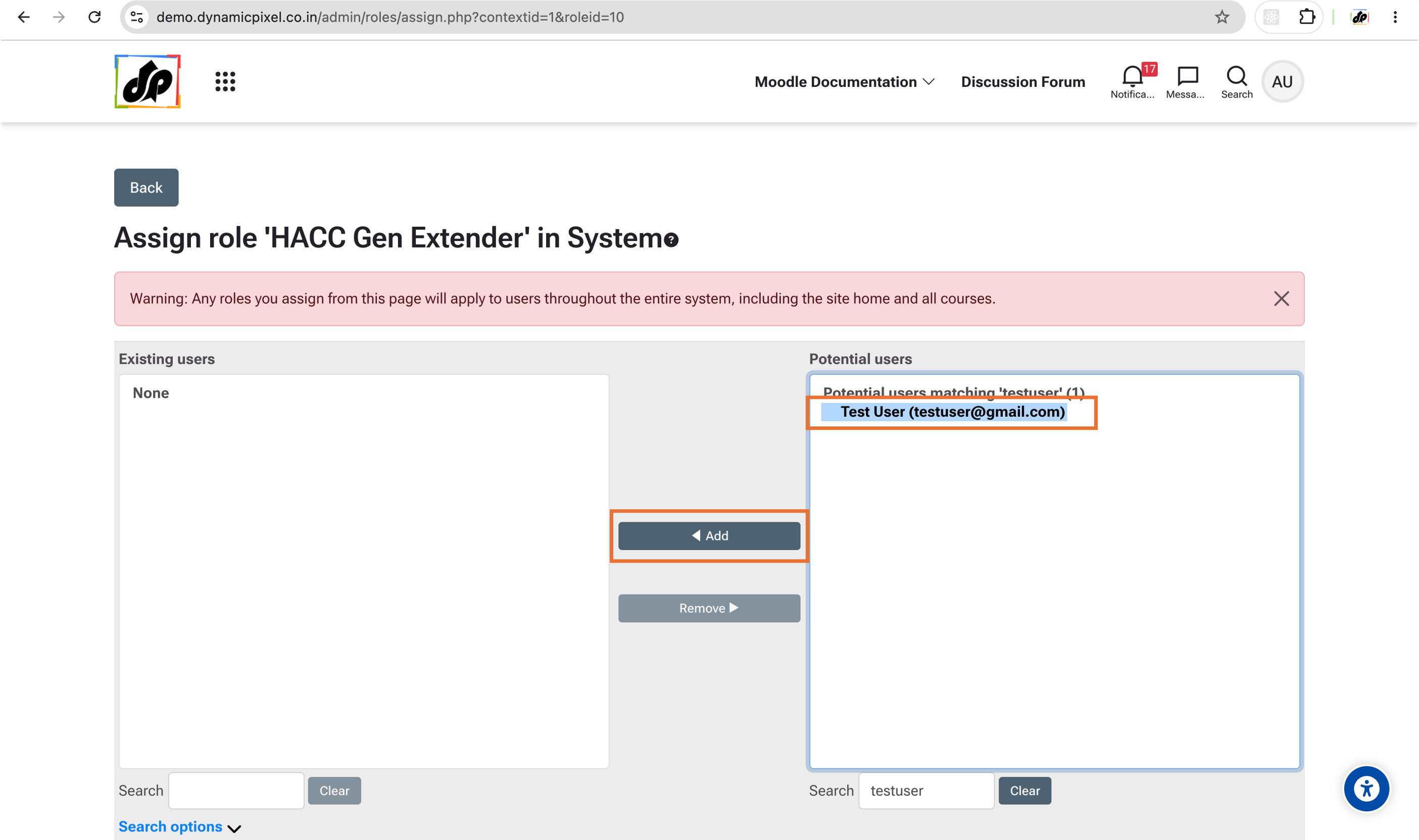
2. Assign this role to the Selected Users.
Follow the steps shown in the screenshots:
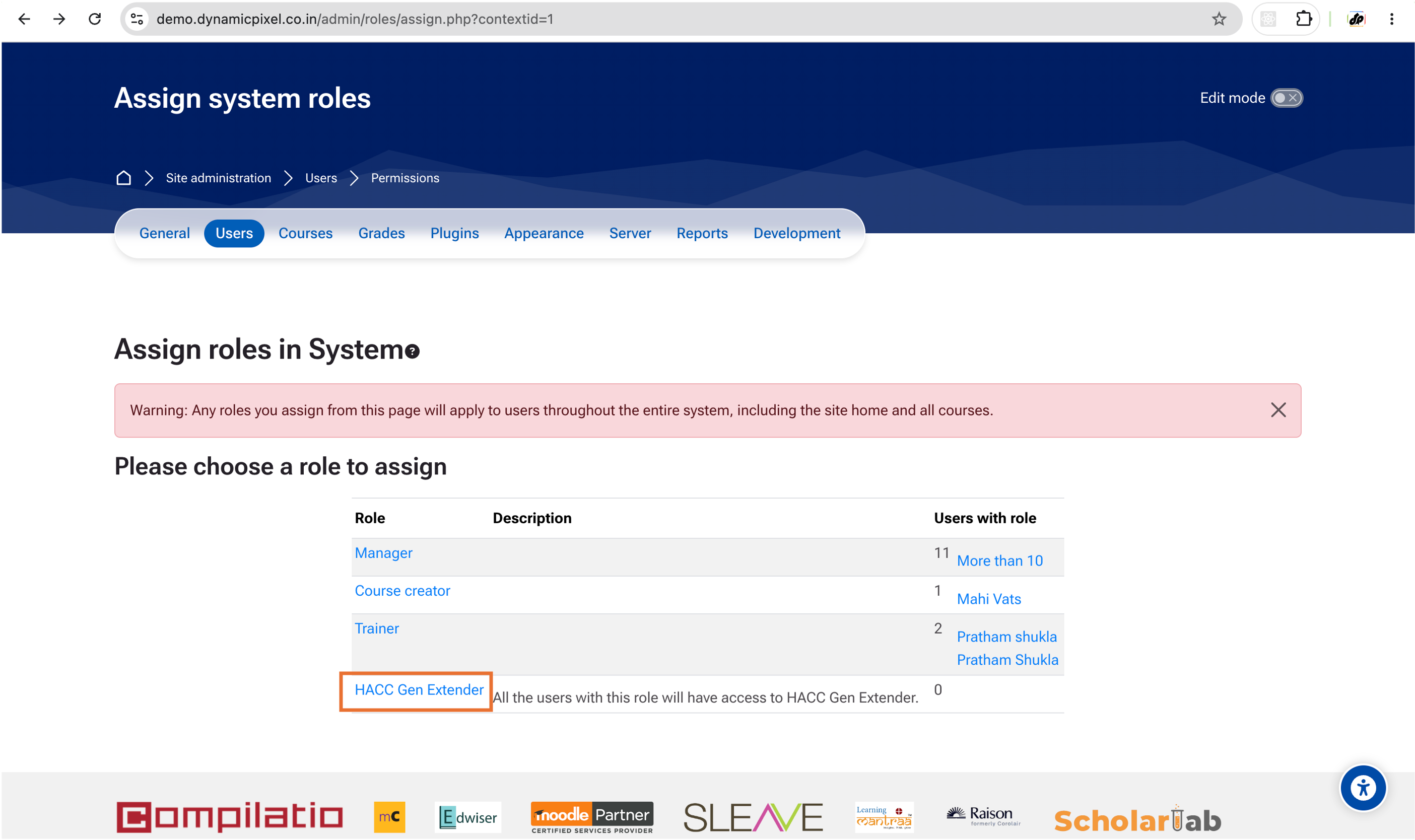
Select the users that you want to have access to HACC Gen Extender.
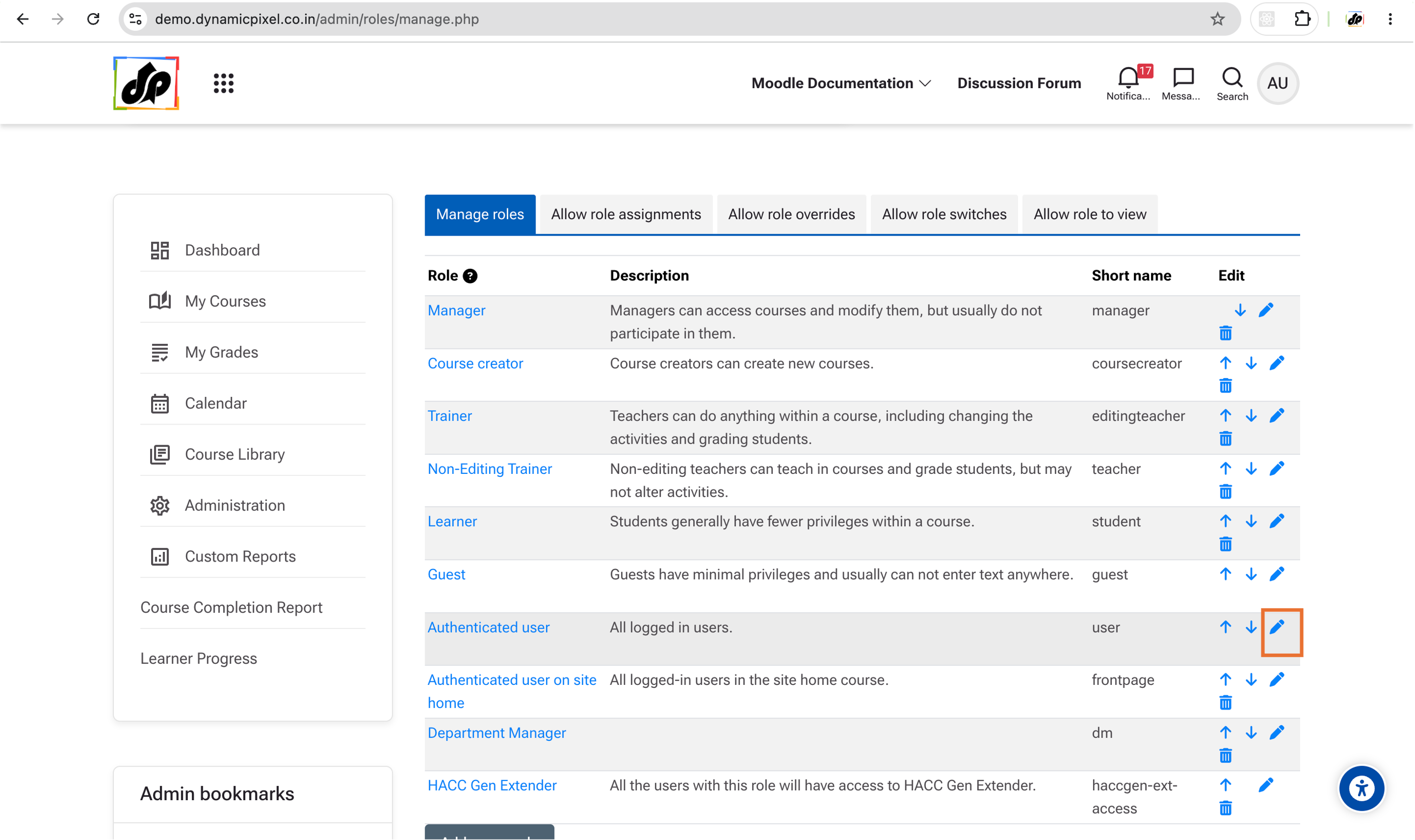
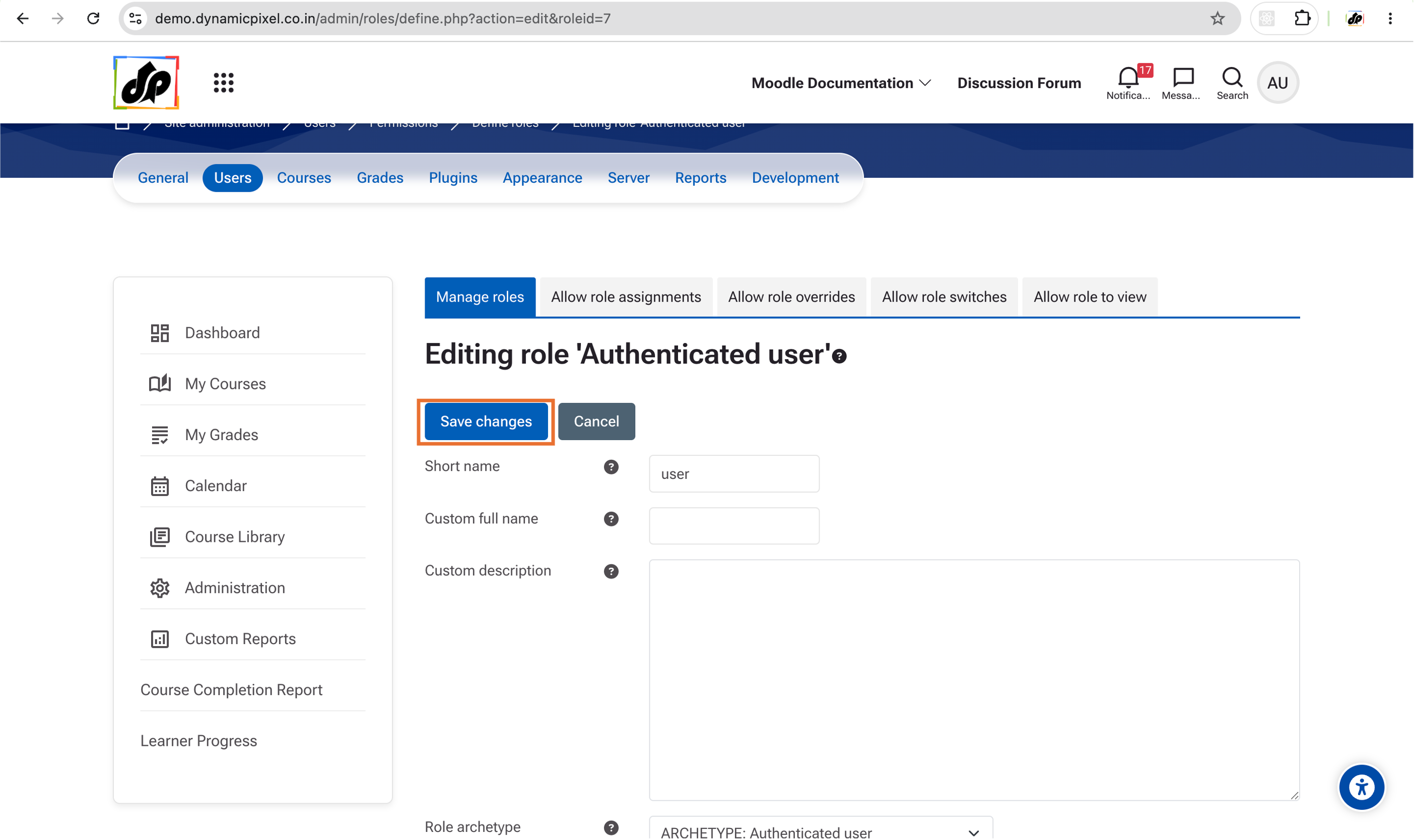
3. Remove the access of HACC Gen Extender from other users.
Follow the steps shown in the screenshots:
Edit the 'Authenticated User' Permissions.