Text size
Line height
Text spacing
Log in as administrator in your Moodle LMS.
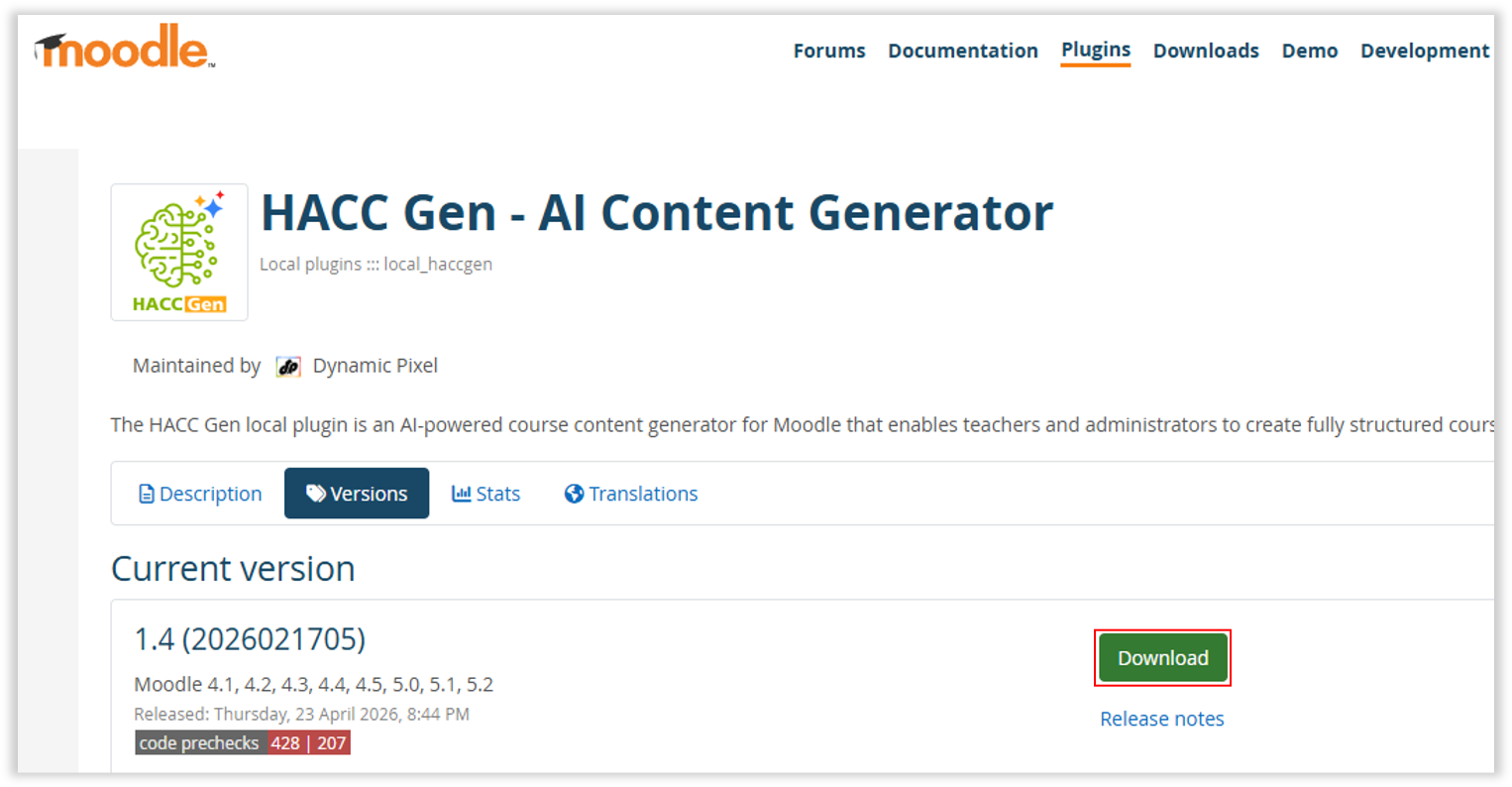
Download the Plugins from here.
Navigate to Site administration > Plugins > Install plugins.
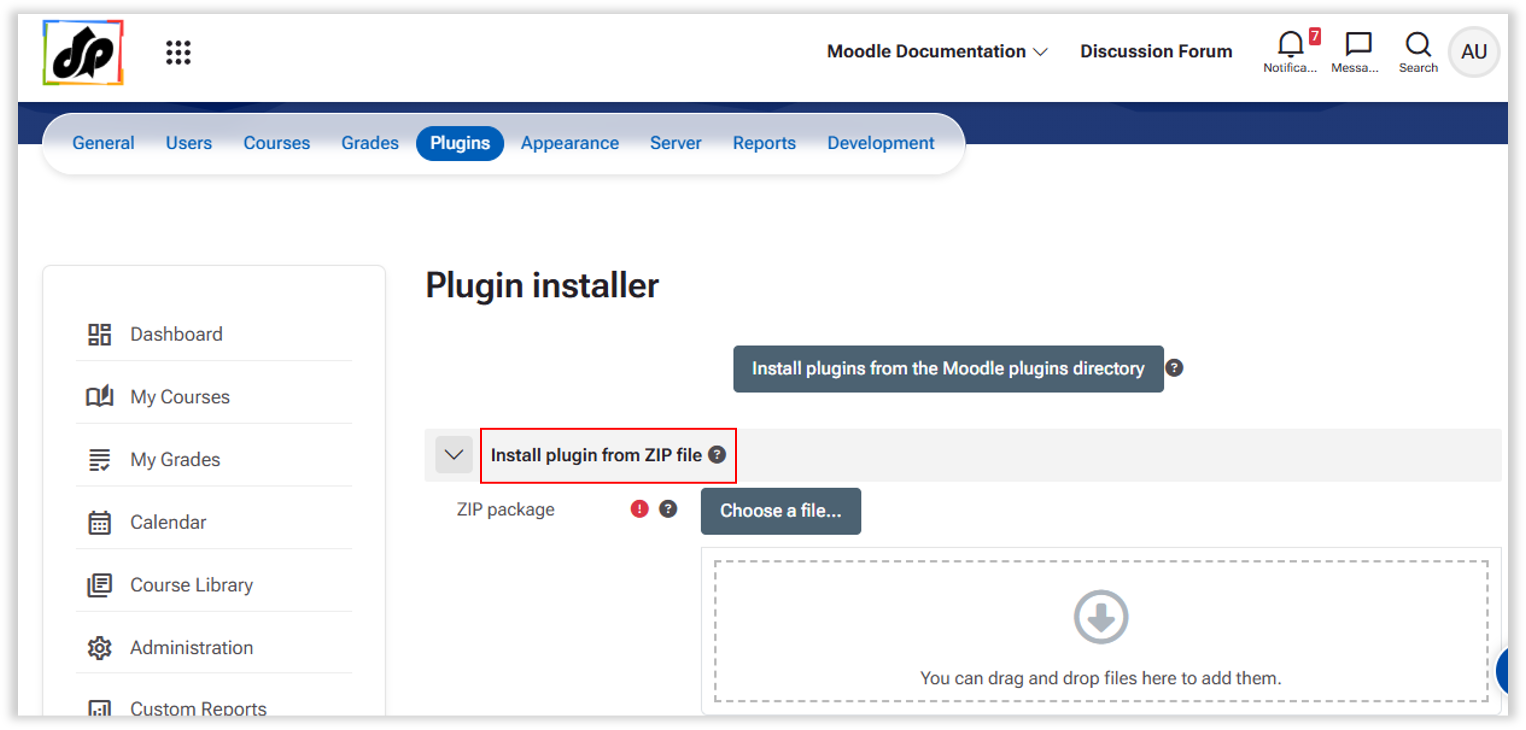
Upload the plugin and follow the installation instructions.
Go to the Plugin Settings Page >> Site administration > Plugins > Local plugins > HACC Gen.

Enter the API details received from the Subscription Portal.
HACC Gen requires API credentials to function.
Step 1 – Open API Credentials Page
Go to:
Site administration → Plugins → Local plugins → HACC Gen

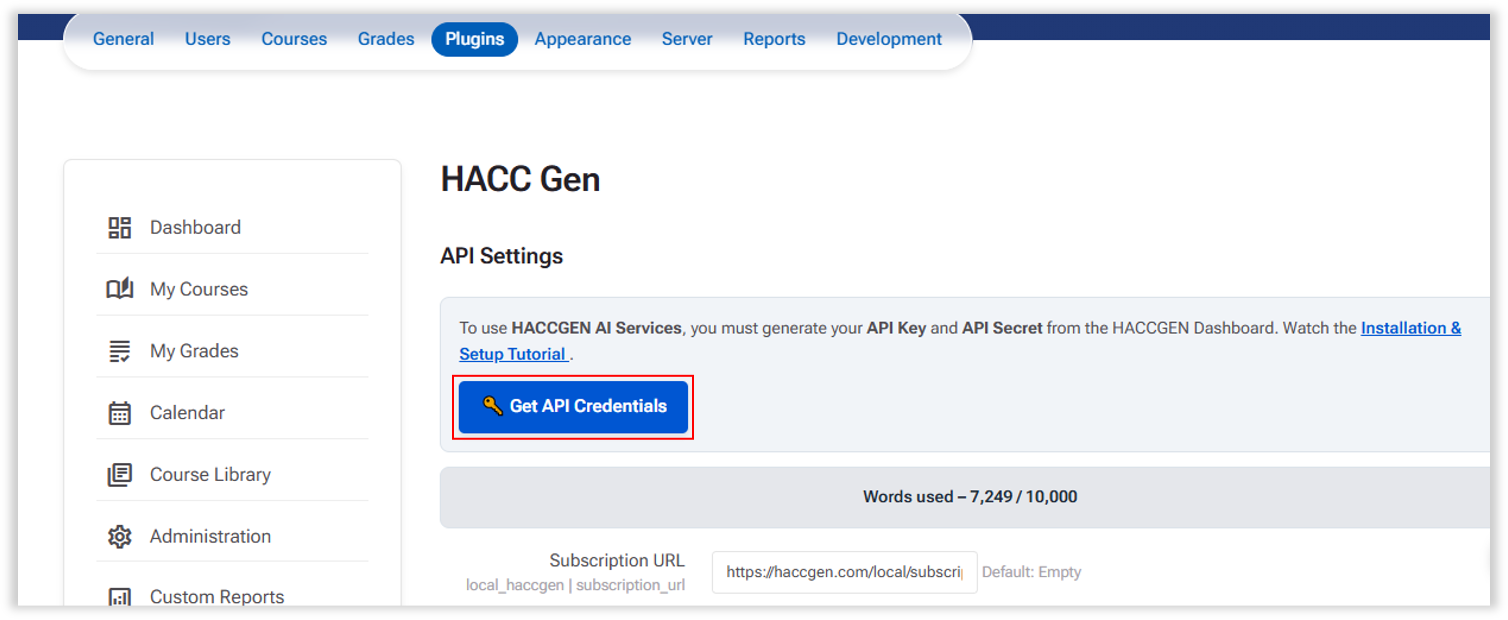
This opens the API provider registration portal (https://haccgen.com).

Step 2 – Create an Account

Register on the https://haccgen.com/ using your details to get the API details.
You will receive a Validation link on your email.

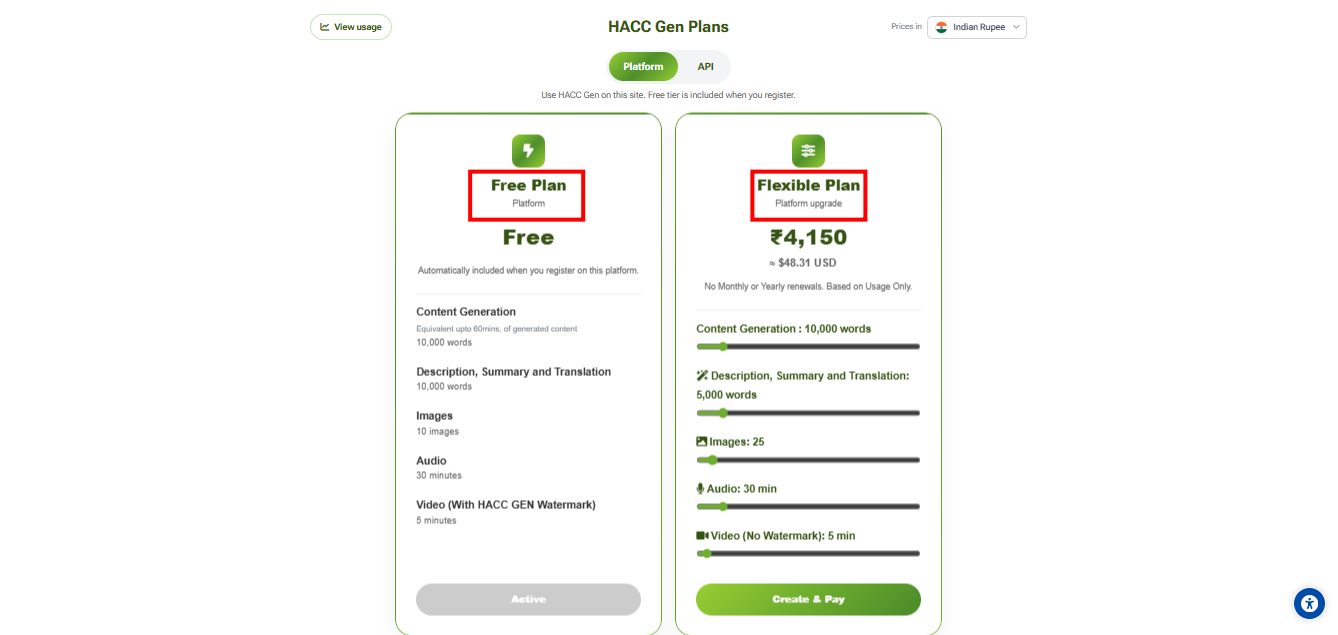
Step 3 – Select a Plan

Choose one of the available plans:
Free (Starter)
Flexible Plan (Build your own)
Step 4 – Enter LMS and Billing Information
Enter your LMS URL.
Example: https://your-lms.example.com
Note: The API credentials will be securely locked to your LMS domain. Do not use ”/” or any such characters at the end of a URL.

Also provide:
Complete Registration
Step 5 – Get API Credentials
After successful registration, you will receive:
These credentials will be available in your API dashboard.

Step 6 – Configure Credentials in Moodle
Return to: Site administration → Plugins → Local plugins → HACC Gen
Enter:
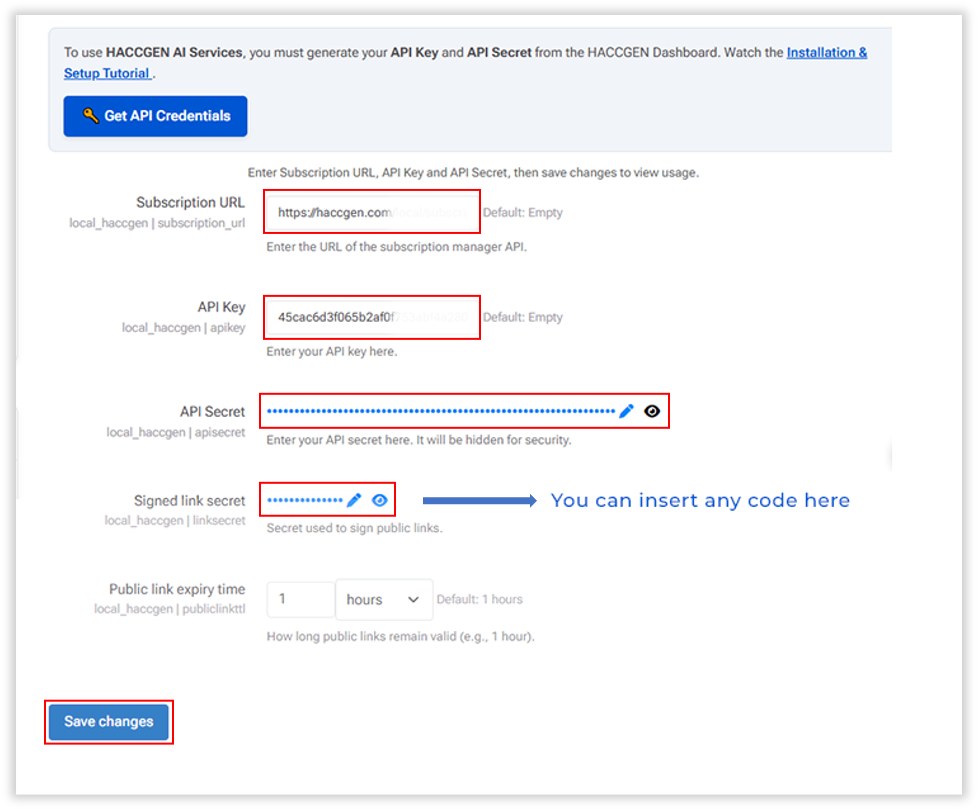
Save settings.
The plugin is now ready to use.
