HACC Gen (Moodle Plugin) Documentation
| Site: | HACC Gen |
| Course: | HACC Gen |
| Book: | HACC Gen (Moodle Plugin) Documentation |
| Printed by: | |
| Date: | Monday, 21 September 2026, 3:07 AM |
1. Overview
The HACC Gen (Human AI Collaborative Content Generator) local plugin is an AI-powered course content generator for Moodle that enables teachers, managers and Administrators to create fully structured courses in minutes.
Using a guided multi-step workflow, the plugin generates a complete course with content broken into topics, sub-topics and quizzes.
Philosophy -
HACC Gen introduces a Human-AI Collaborative Pedagogical Intelligence Architecture (HACPIA), a multi-agent AI framework purpose-built for instructional design and learning-content generation. Unlike conventional AI authoring tools that rely on a single LLM prompt-response paradigm, HACC Gen orchestrates multiple specialised AI agents, instructional-design reasoning engines, and human validation workflows to produce pedagogically aligned learning experiences.
Though it generates the content using AI, humans have complete control over it. Course creators can adjust the learning objectives for each topic, even add or modify topic and choose to have quizzes in each topic. It is based on the philosophy that humans are the knowledge experts, whereas AI can expedite the repetitive and boring tasks.
It is based on the following core pillars:
- Human in the Loop Theory
- ADDIE Model
- Cognitive Load Theory
- Bloom's Taxonomy
Additionally, it also considers the other Learning theories.
Generated content can be saved as a draft or automatically create a complete, structured course inside Moodle using Page and Quiz activities.
To navigate to the plugin, you need to go to the desired course and then:
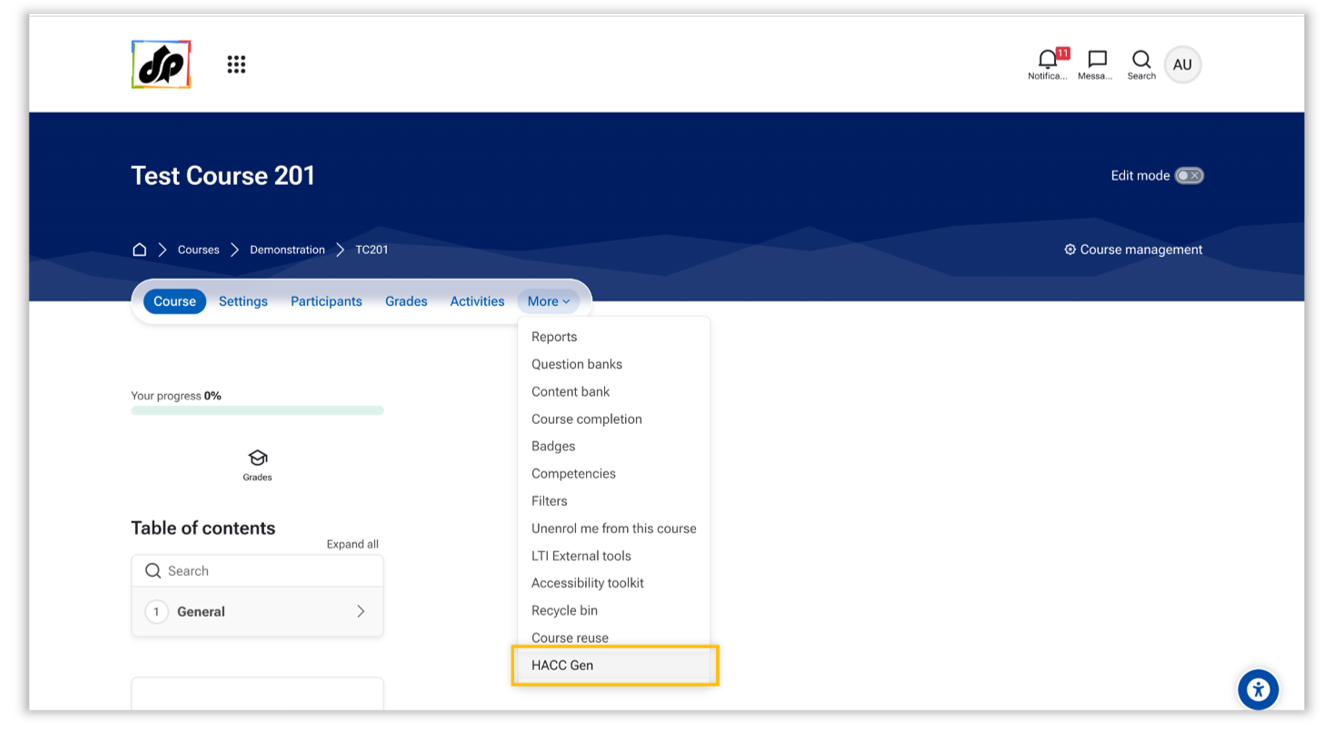
Navigate to Desired Course → Course administration → More → HACC Gen
It is perfect for:
- Rapid course creation
- Converting PDFs into structured Moodle courses
- AI-assisted instructional design
- Automatic quiz generation
- Reducing course development time
2. Features
- Guided multi-step AI workflow
- Structured content generation
- Automatic learning objectives with flexibility to modify them
- Optional quiz generation with a configurable number of questions
- Convert PDF-based raw content into a structured course very quickly
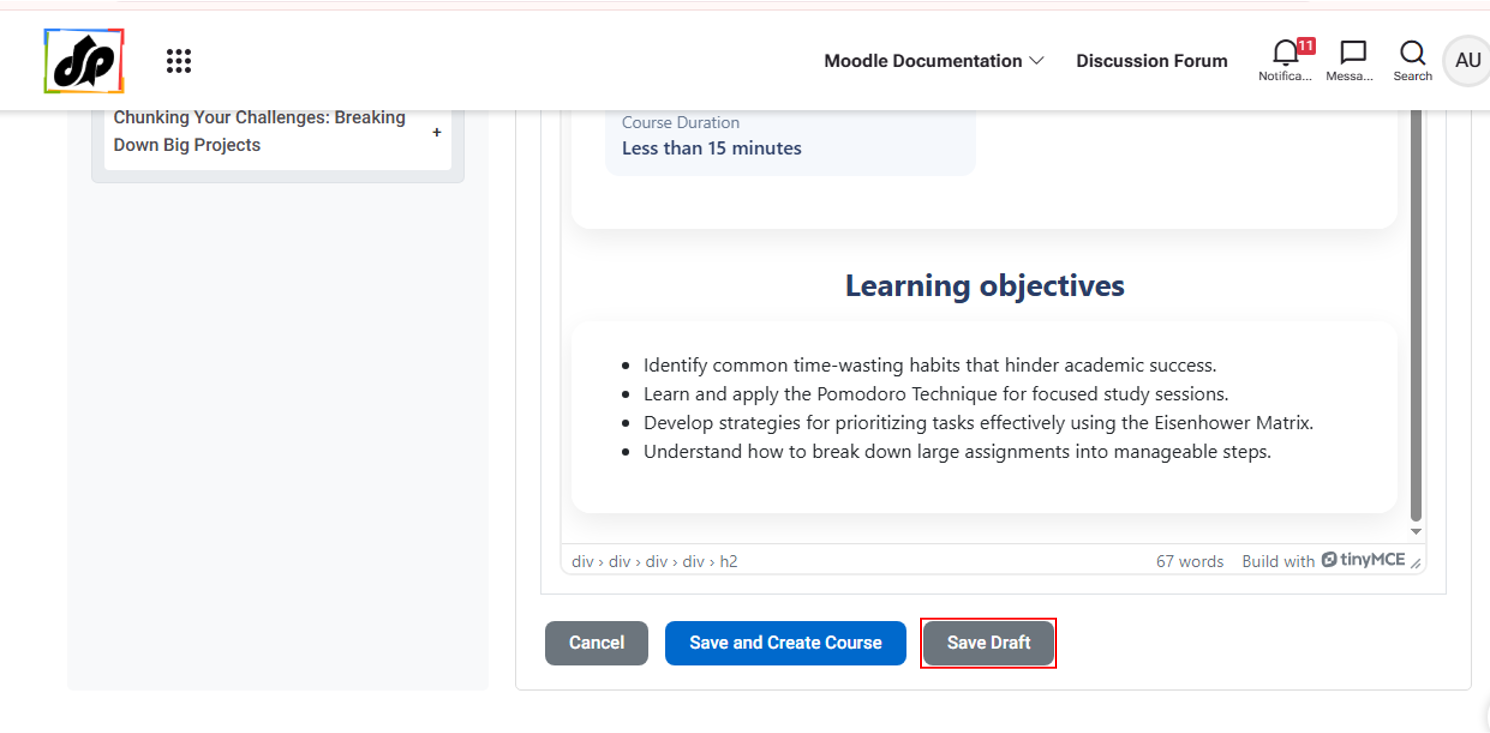
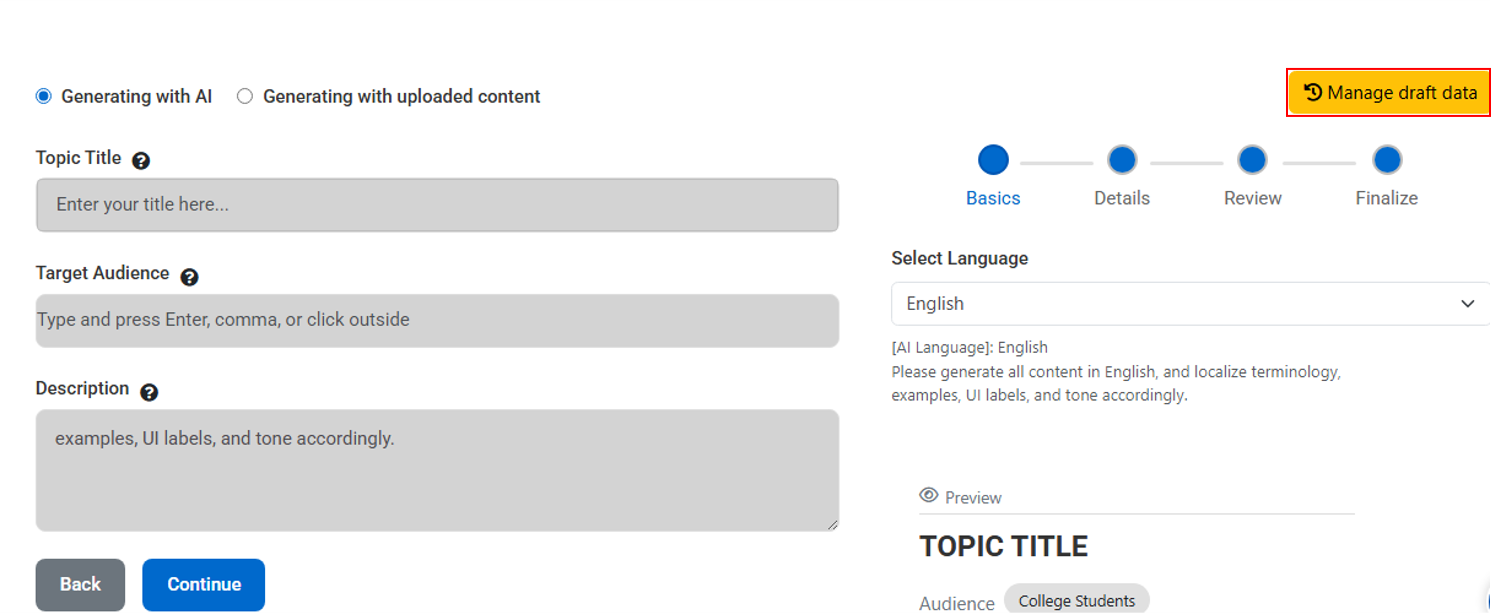
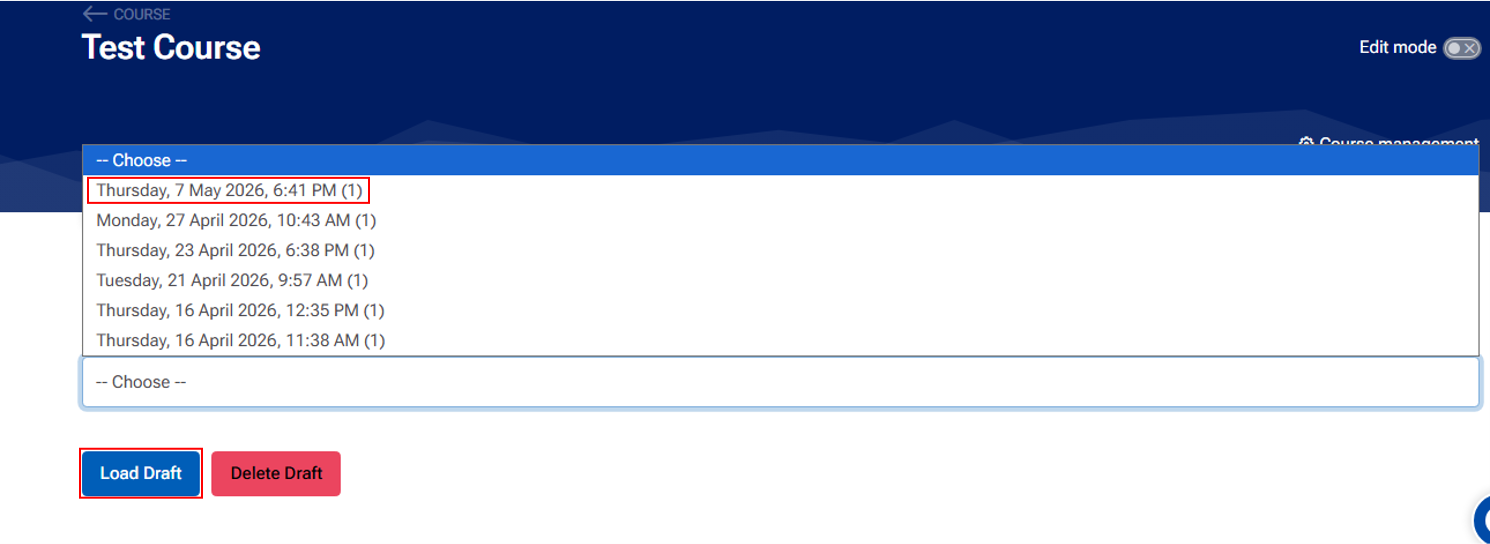
- Draft save/load system
- One-click Moodle Page & Quiz creation
3. Installation and Setup
Log in as administrator in your Moodle LMS.
Download the Plugins from here.
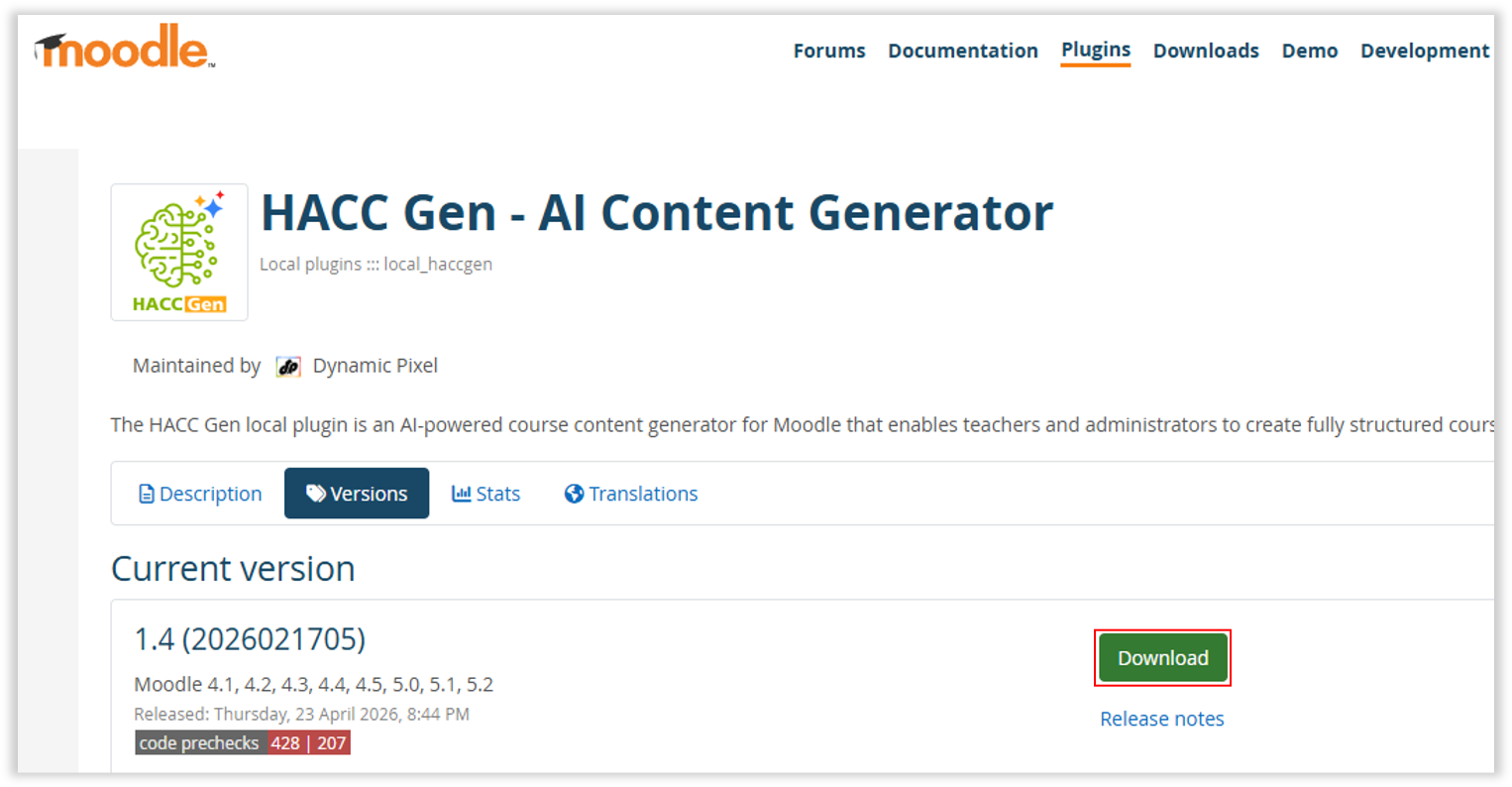
Navigate to Site administration > Plugins > Install plugins.
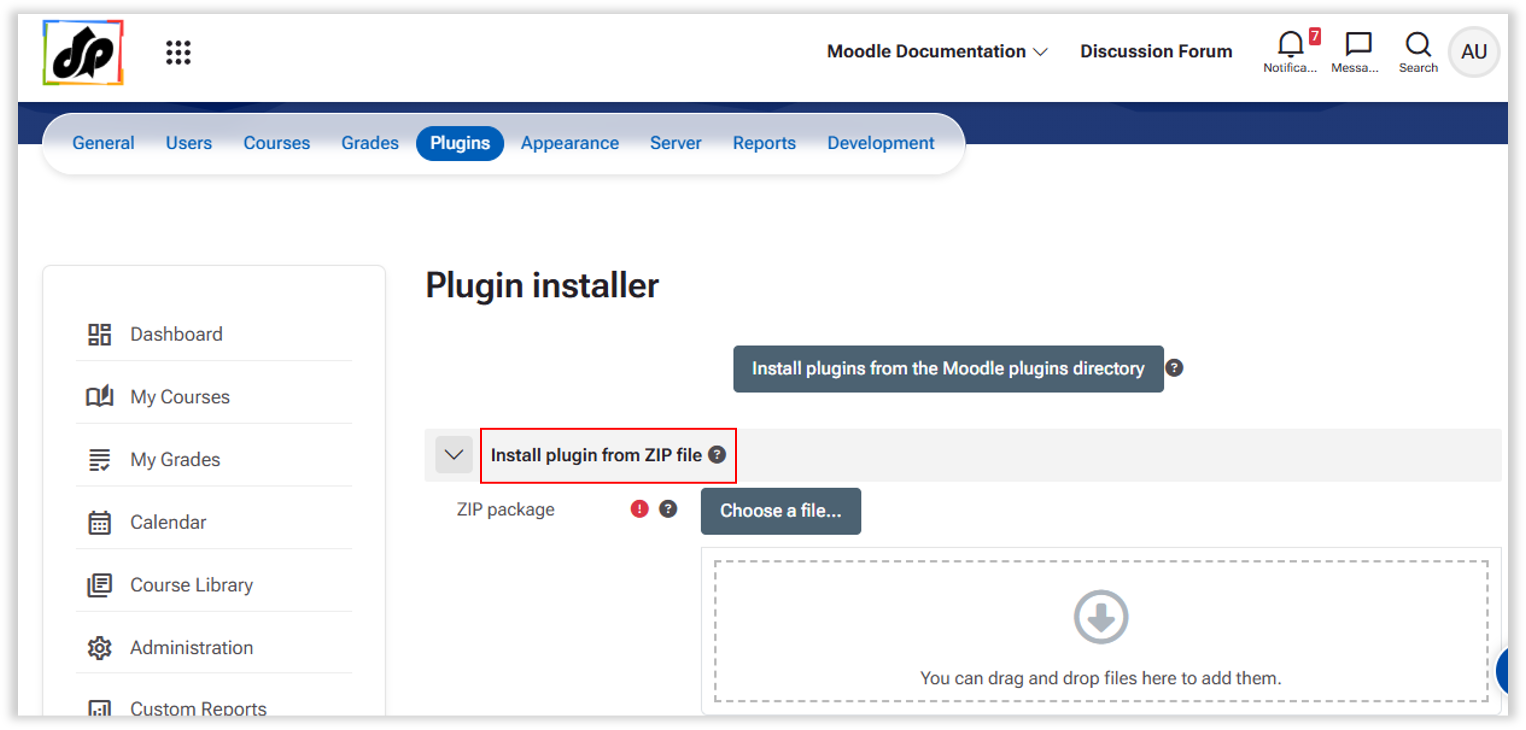
Upload the plugin and follow the installation instructions.
Go to the Plugin Settings Page >> Site administration > Plugins > Local plugins > HACC Gen.

Enter the API details received from the Subscription Portal.
HACC Gen requires API credentials to function.
Step 1 – Open API Credentials Page
Go to:
Site administration → Plugins → Local plugins → HACC Gen

Click: Get API Credentials
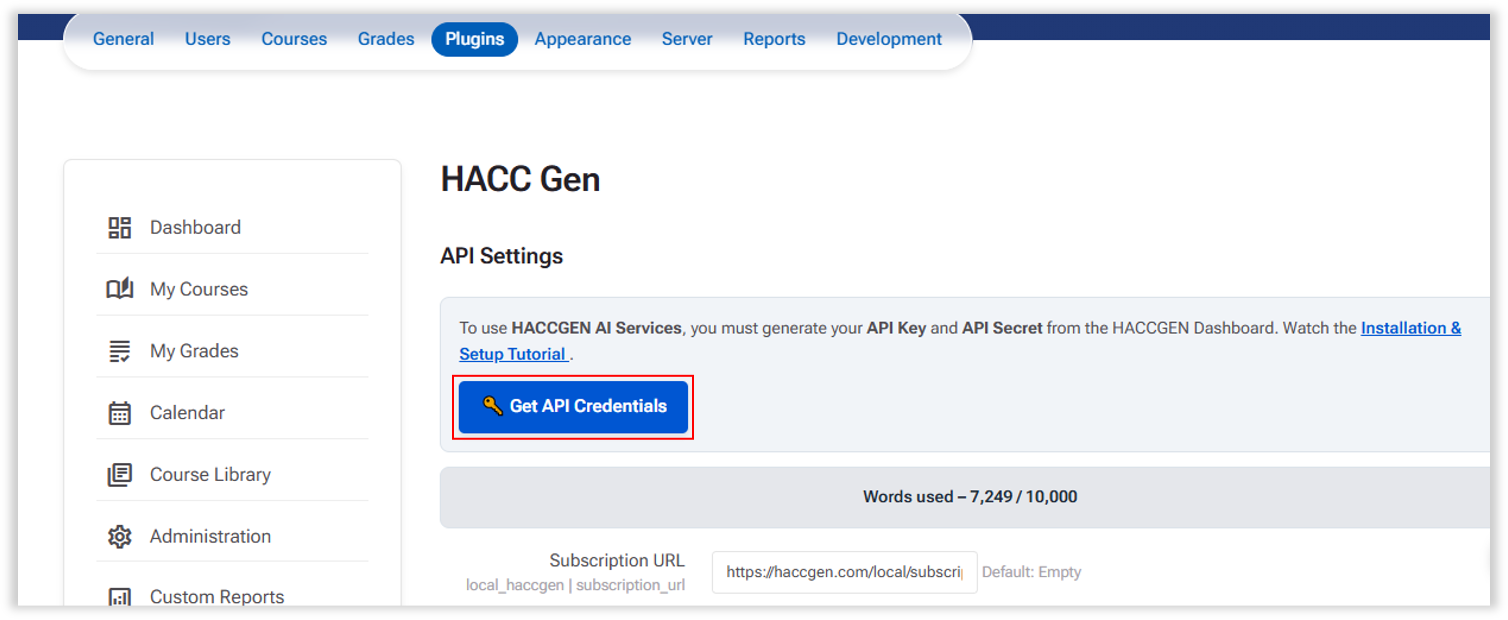
This opens the API provider registration portal (https://haccgen.com).
Getting API Credentials

Step 2 – Create an Account

Register on the https://haccgen.com/ using your details to get the API details.
You will receive a Validation link on your email.

Step 3 – Select a Plan

Choose one of the available plans:
-
Free (Starter)
-
Flexible Plan (Build your own)
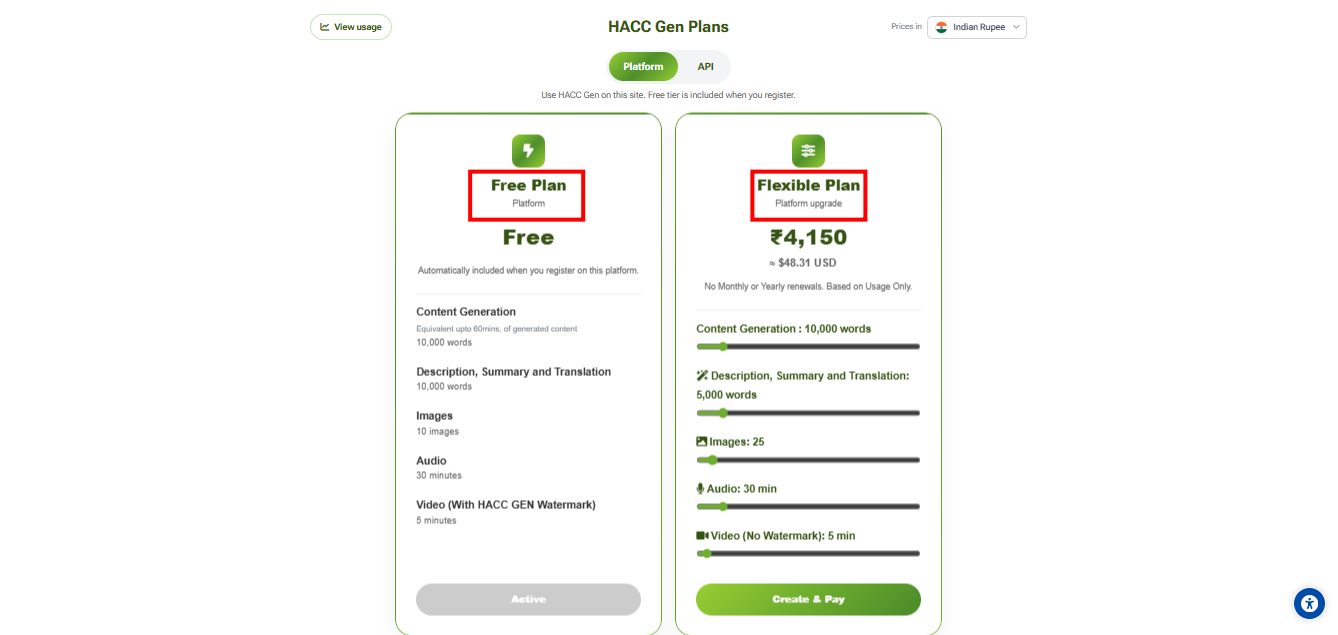
Step 4 – Enter LMS and Billing Information
Enter your LMS URL.
Example: https://your-lms.example.com
Note: The API credentials will be securely locked to your LMS domain. Do not use ”/” or any such characters at the end of a URL.

Also provide:
- Company or billing name
- GSTIN (optional)
- State and Country
- Billing address
Complete Registration
- Free Plan requires no payment.
- Flexible Plan require payment before activation.
Step 5 – Get API Credentials
After successful registration, you will receive:
- API URL
- API Key
- API Secret
These credentials will be available in your API dashboard.

Step 6 – Configure Credentials in Moodle
Return to: Site administration → Plugins → Local plugins → HACC Gen
Enter:
- API URL
- API Key
- API Secret
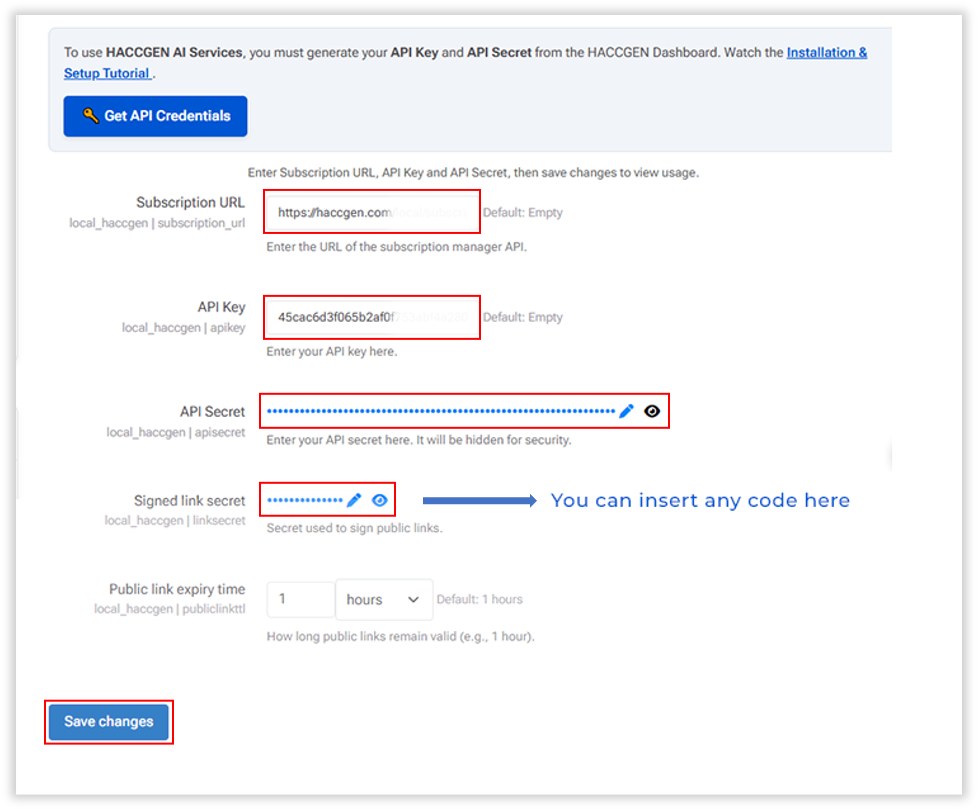
Save settings.
The plugin is now ready to use.
4. How it Works?
To Navigate to HACC Gen-
Go to the desired Course > More > HACC Gen
Step 1 – Course Details
Provide:
- Topic Title (required)
- Target Audience (required)
- Description (optional)
- PDF Upload (optional) – Generate content directly from an uploaded PDF document

Step 2 – Learning Preferences

Configure:
-
Level of Understanding
- Beginner
- Intermediate
- Advanced
-
Tone of Narrative
- Formal
- Conversational
- Engaging
-
Course Duration
- 15 minutes
- 30 minutes
- 60 minutes
- 90 minutes
- 120 minutes
- Generate Course Summary (Optional)
- User can choose whether to generate the course summary or not.
Step 3 – Topic Generation
The AI generates:
- Structured course topics
- Learning objectives
- Topic descriptions
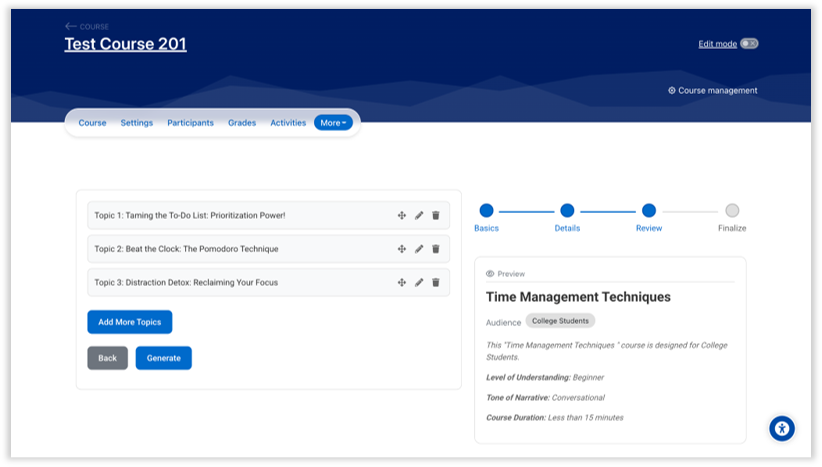
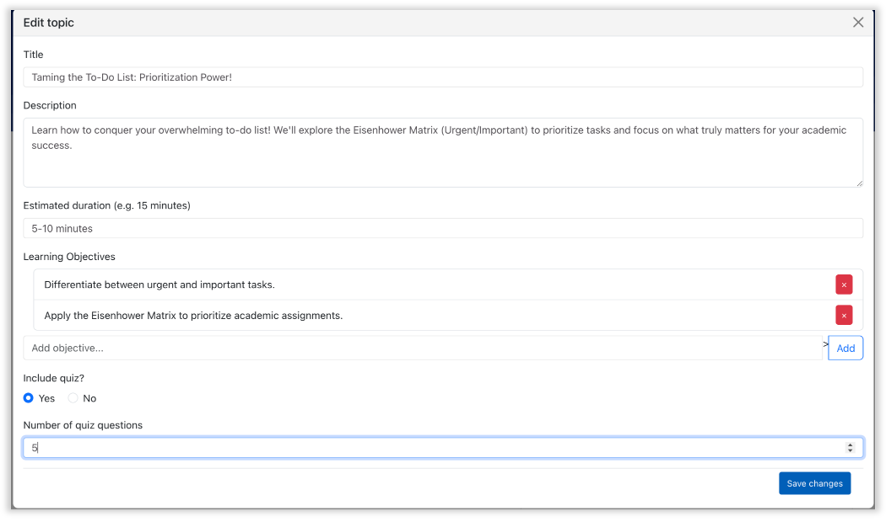
Optional:
- Enable quiz generation
- Define the number of quiz questions in each topic
Step 4 – Final Content
The AI generates:
- Subtopics for each topic
- Detailed lesson content
- Quiz questions (if enabled)
- Course Summary (if enabled)

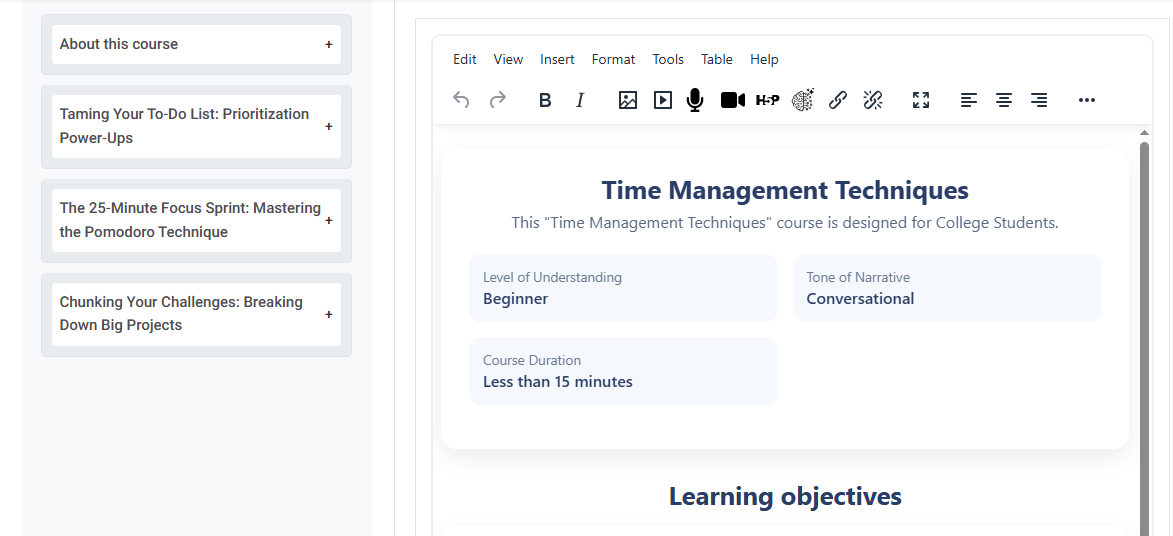
- A particular topic and the pages inside the topic can be renamed/removed if required and sequence of topics and pages can also changed.

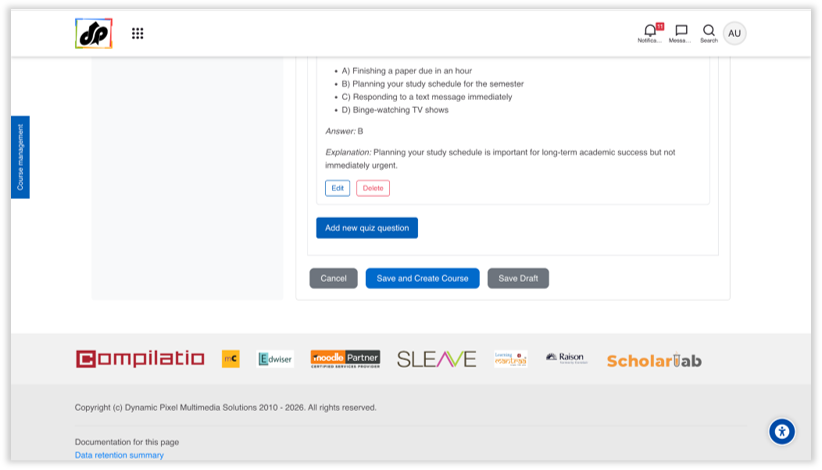
After review, you can:
-
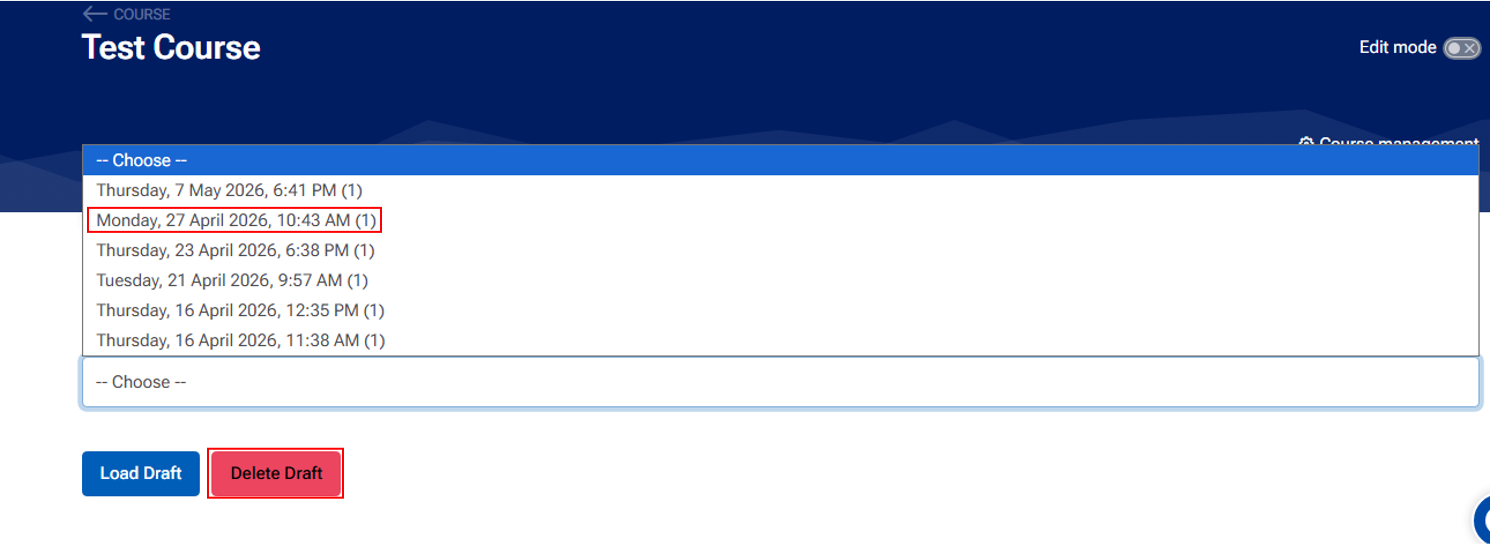
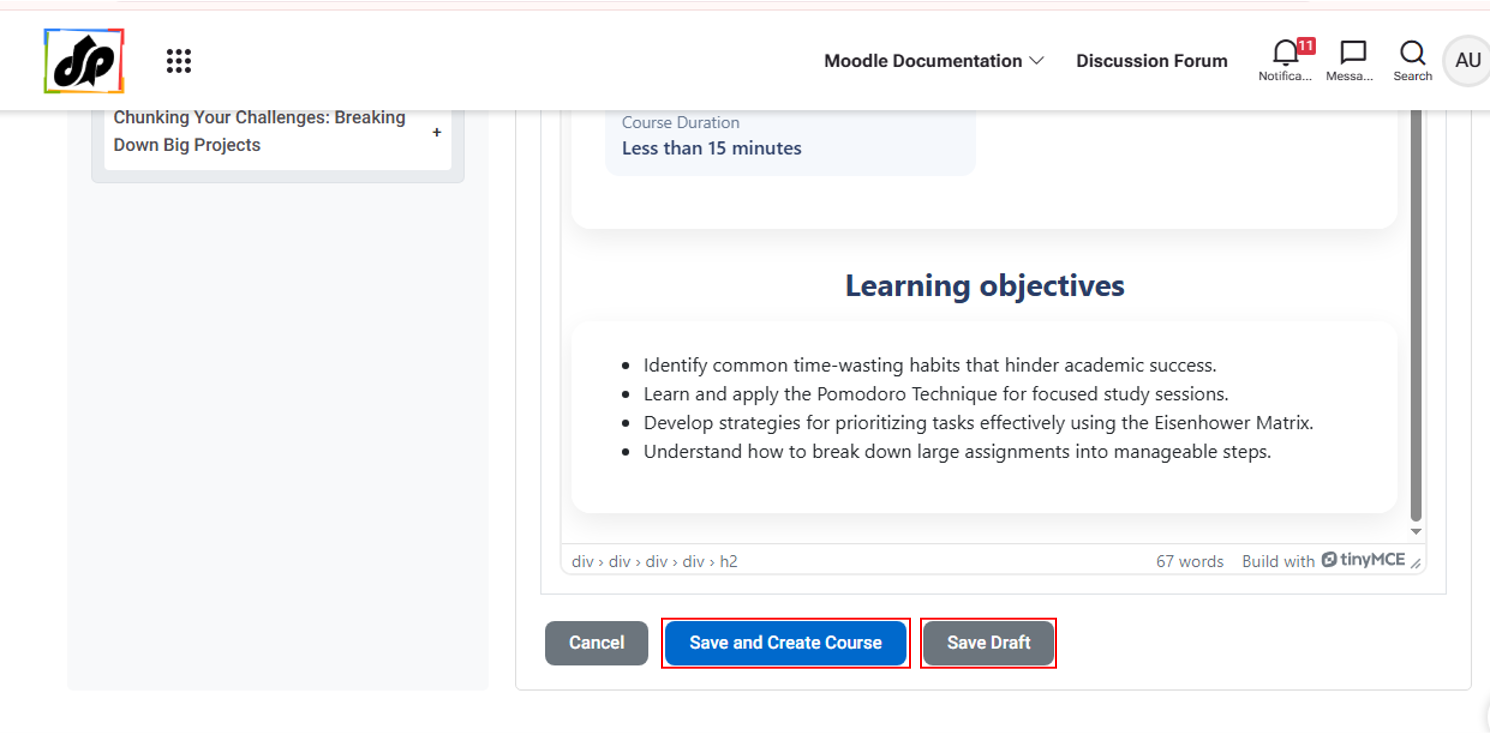
Save content as Draft
-
Or automatically create the course inside Moodle
5. Moodle Integration
HACC Gen automatically creates:
- Page activities (for lesson content)
- Quiz activities (for assessments)
Content is structured into Moodle course sections and topics.
Accessible via:
→ Course administration → More → HACC Gen
6. Draft System
7. Requirements
- Moodle 4.0 or higher
- External AI API access
- Valid API credentials
- PHP file upload support (for PDF processing)
- Server timeout configuration compatible with AI processing
8. Known Limitations
- AI output depends on external API availability
- PDF extraction depends on server configuration
- Large content generation may be affected by timeout settings
- AI Content is sometimes incorrect. It needs Human Validation before use.
9. Security & Permissions
- Accessible via course administration
- Controlled by Moodle capability system
- Requires appropriate course-level permissions
- API credentials stored securely in plugin settings
10. Changelog
- 2026.02.17
- Initial public release
- 4-step AI course generator
- PDF-based content generation
- Automatic quiz creation
- Draft save/load system
- Automatic Moodle Page & Quiz creation
- Course administration integration
- 2026.04.23
- Improved compatibility with HACC Gen Extender plugin
- Removed content payload size limitation for user inputs
- Enhanced stability for large course generation workflows
- Improved error handling and logging
- Minor UI/UX refinements in course builder interface
- Bug fixes and performance improvements
- 2026.06.17
- Added Course Summary option for generated course outlines
- Improved conceptual quality of AI-generated content
- Enhanced PDF-based content generation
- Added topic and subtopic rename functionality
- Added topic and subtopic delete functionality
- Added topic and subtopic reordering functionality
- Automatic draft save on initial content load in Step 4
- UI/UX refinements in course builder interface
- Bug fixes and performance improvements
11. Support & Bug Reports
For support, customization, or enterprise deployment:
Dynamicpixel Multimedia Solutions
Email: info@dynamicpixel.co.in