Text size
Line height
Text spacing
1. Open any activity or resource that uses Tiny Editor.
2. (Optional but recommended) Select text in the editor before clicking Haccgen Extender — this pre-fills the prompt field in most tools.

3. Click the Haccgen Extender button in the editor toolbar (sparkle/AI icon labelled "Haccgen Extender").

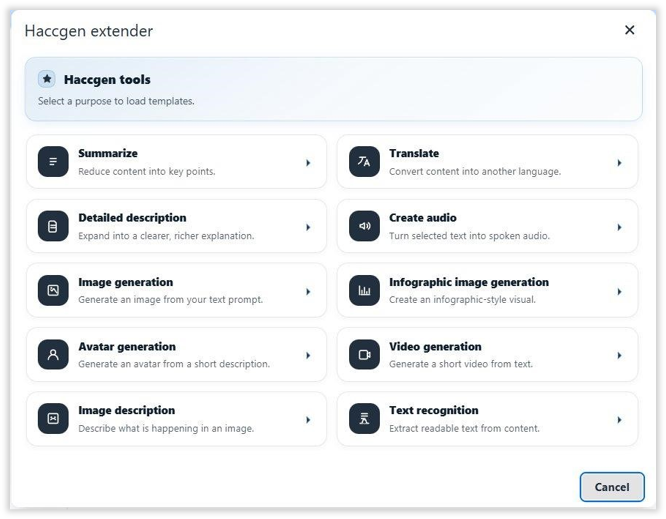
4. Choose a tool from the Haccgen Extender tools gallery.
5. Fill in the required fields, then click Run.
6. In the result dialog, choose Copy, Insert below, or Replace selection.
Path: Site administration → Plugins → Text editors → Tiny editor → Haccgen extender
