Text size
Line height
Text spacing
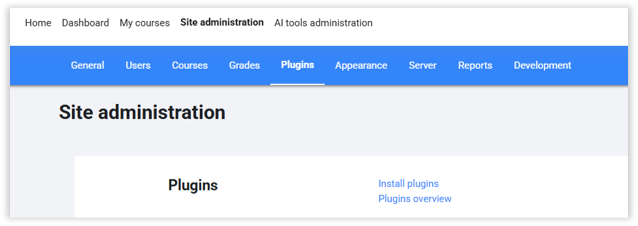
1. Navigate to Site administration → Plugins
2. Click on “Install Plugins”
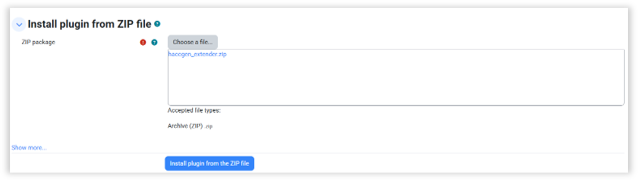
3. Add the “local_haccgen_extender” plugin zip.
4. Follow Moodle Instructions and Install the plugin.
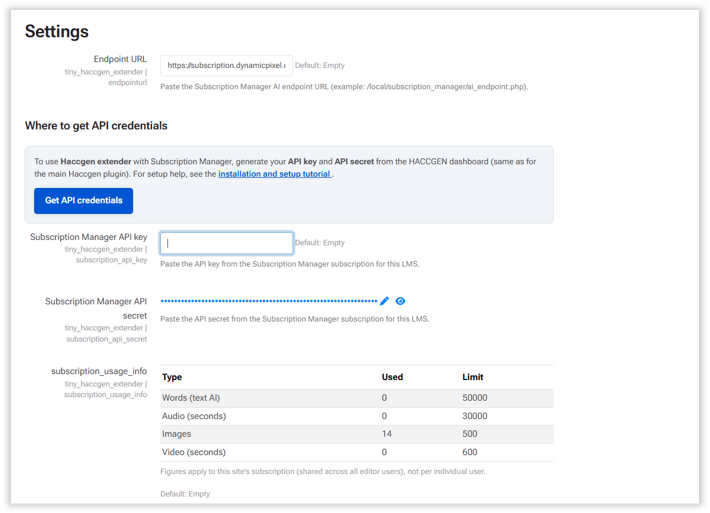
Visit https://haccgen.com/ and do the necessary to acquire credentials.
Add credentials to the Settings page.
Navigate to:
Site administration > Plugins > Haccgen Extender
If you want all the userto have access to HACC Gen Extender, the allow following permission for Authenticated User:
tiny/haccgen_extender:use - Allow
You can also create a Site Level Role like "HACC Gen Extender Access" and allow this permission to that role only. Then all the users with this role will have access to HACC Gen Extender.
