HACC Gen Extender (Moodle Plugin) Documentation
4. Quick Start (5 Minutes)
1. Open any activity or resource that uses Tiny Editor.
2. (Optional but recommended) Select text in the editor before clicking Haccgen Extender — this pre-fills the prompt field in most tools.

3. Click the Haccgen Extender button in the editor toolbar (sparkle/AI icon labelled "Haccgen Extender").

4. Choose a tool from the Haccgen Extender tools gallery.
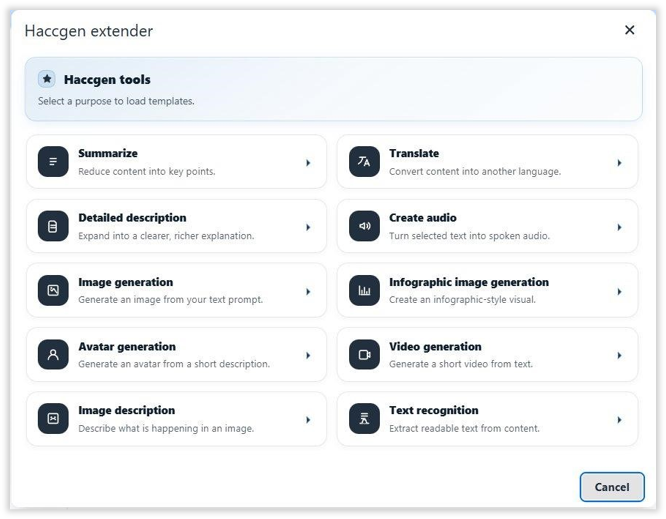
5. Fill in the required fields, then click Run.
6. In the result dialog, choose Copy, Insert below, or Replace selection.
Admin Setup Guide
Path: Site administration → Plugins → Text editors → Tiny editor → Haccgen extender